Why We Ban “White Pages” and Redirects to Official Sites: The Cloaking Problem Explained
Cloaking, white pages, and TDS redirects are the backbone of modern phishing infrastructure. Every site using them gets banned. Here is why — and what we find when we look behind the curtain.
In this article
The Question We Keep Getting Asked
Every week, we receive the same appeal: “You flagged my domain, but when I check it, it just redirects to the official website. There’s nothing malicious here.”
Or a variation: “The page is just a blog post about cryptocurrency. It’s not phishing.”
We understand why this is confusing. If you visit a domain that’s been flagged and see a perfectly normal page — or a clean redirect to a legitimate site — it’s natural to assume the flag is wrong. But that clean page is not a bug in our detection. It is the attack.
This article explains the technology behind cloaking, why “white pages” exist, how Traffic Distribution Systems (TDS) like Keitaro route victims, and why PhishDestroy treats every one of these patterns as confirmed malicious infrastructure — with zero exceptions.
If you’re reading this because your domain was flagged and you believe it was a mistake, we encourage you to read to the end. We also maintain an appeals process for legitimate false positives. But in our experience, domains exhibiting cloaking behavior are malicious 100% of the time.
How Antivirus Systems Changed the Game
A decade ago, phishing was simple. An attacker registered a domain, put up a fake login page, and sent the link to victims. Security vendors would eventually crawl that URL, see the phishing page, and add it to blocklists. The domain would die within hours or days.
Then the industry got better. Google Safe Browsing, Microsoft SmartScreen, and over 100 antivirus engines on platforms like VirusTotal began scanning URLs in near real-time. Browser-level warnings cut click-through rates dramatically. Hosting providers started automated takedown pipelines. The window between a phishing page going live and getting blocked shrank from days to minutes.
Phishing operators had a problem: their pages were getting caught faster than they could deploy them. They needed a way to show the phishing content to real victims while appearing completely harmless to every automated system trying to detect them.
The answer was cloaking.
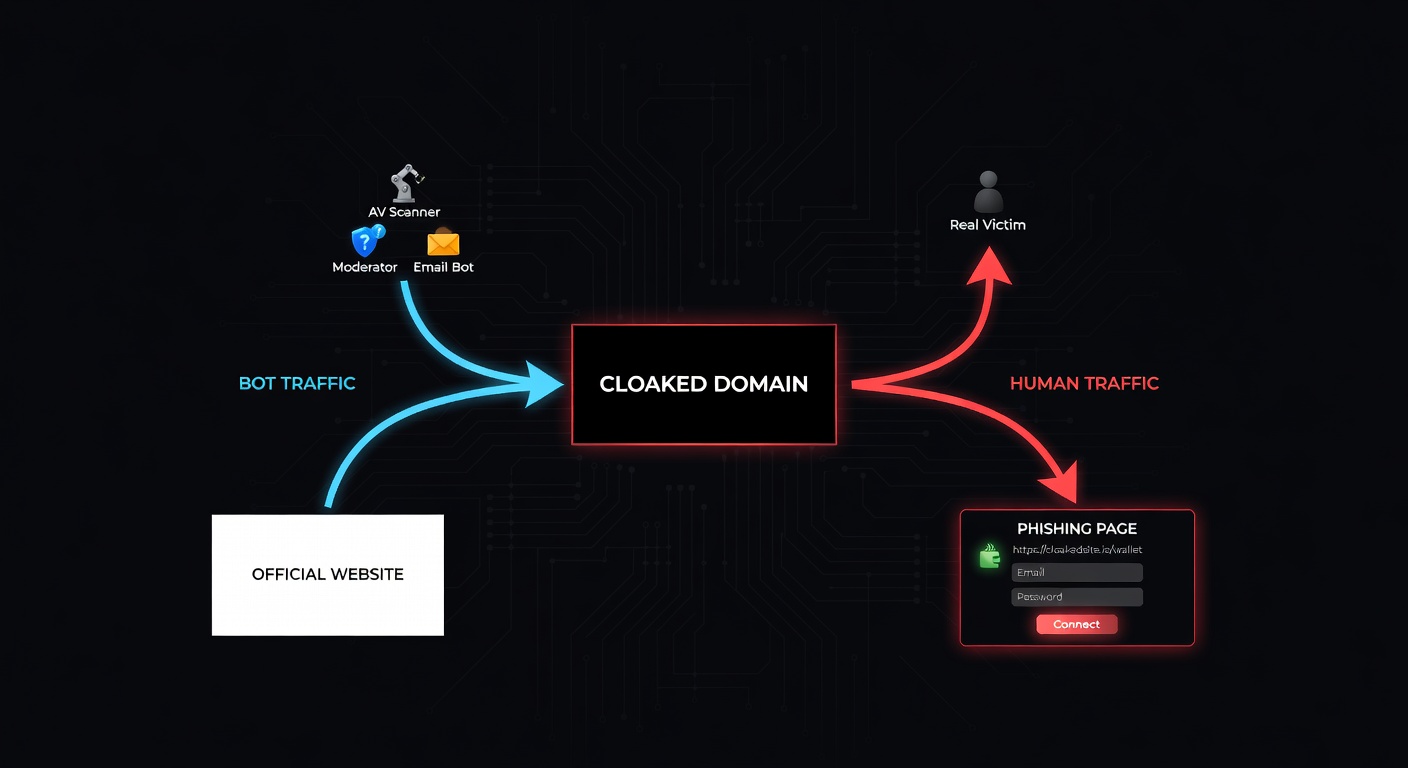
Modern phishing doesn’t get caught because the phishing page is hard to detect. It gets away with it because the scanner never sees the phishing page at all. The scanner sees a blog post, a redirect, or a blank page. The victim — visiting from a specific country, on a mobile device, through a paid ad — sees the credential harvester.
What Cloaking Actually Is
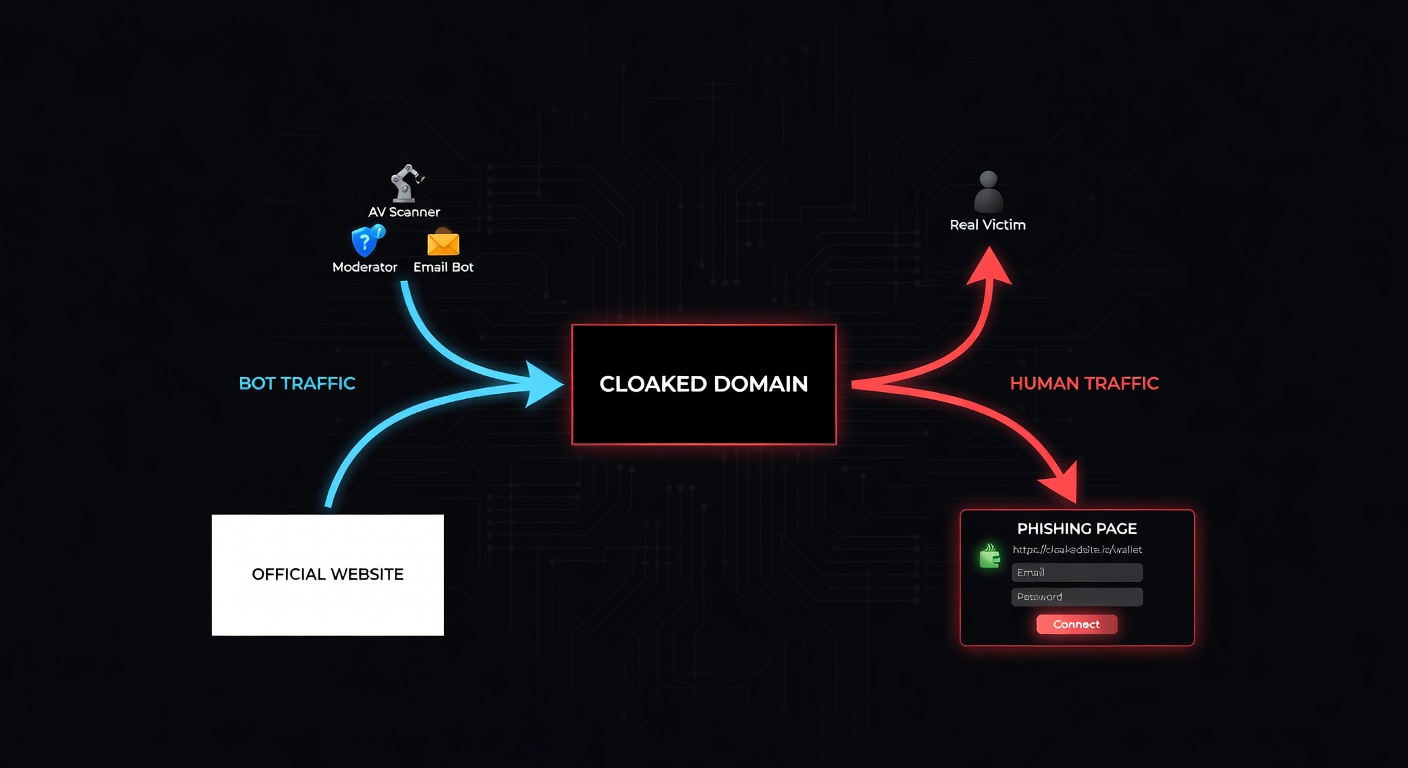
Cloaking is the practice of serving different content to different visitors based on who they are. In the context of phishing, it means one thing: security scanners see a harmless page, and real victims see the phishing page.
The filtering can happen at multiple levels:
- IP reputation — Known datacenter IPs, VPN ranges, and security vendor IP blocks get the clean version. Residential IPs get the phishing page.
- User-Agent strings — Headless browsers, known crawlers (Googlebot, bingbot, Screaming Frog), and security scanners are identified and filtered out.
- Geolocation — The phishing page is only shown to visitors from targeted countries. Everyone else sees the white page.
- Referrer headers — Only visitors arriving from specific sources (a Google ad, a phishing email link, a social media post) see the real content.
- Device fingerprinting — JavaScript checks for screen resolution, installed fonts, WebGL renderer, battery API, and other signals to distinguish real devices from emulators.
- Time-based rules — The phishing page is only active during specific hours (e.g., business hours in the target timezone), and defaults to the white page outside those windows.
- Cookie/session tracking — First visit shows the white page. Returning visitors with a specific cookie (set by the ad click) see the phishing page.
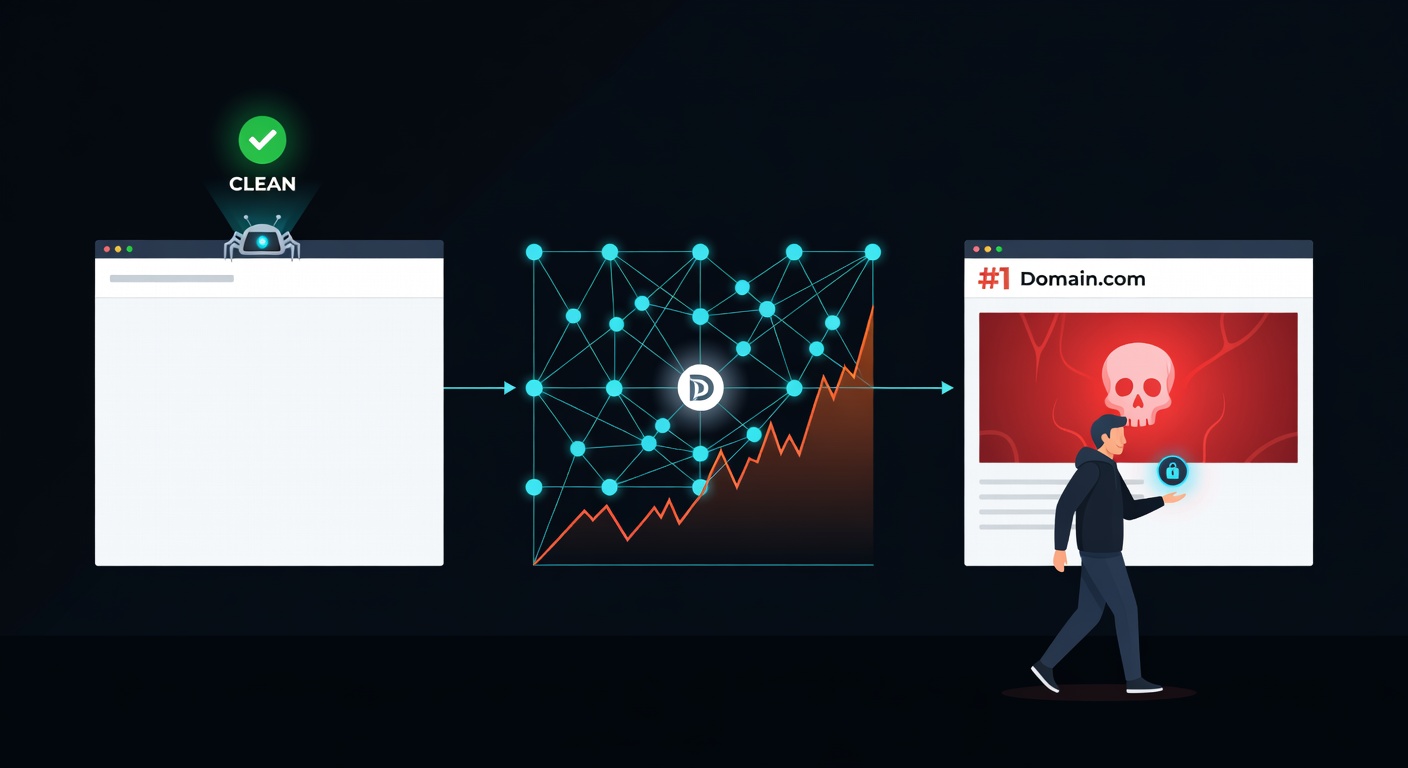
A sophisticated cloaking setup combines all of these. The result is a domain that appears completely clean to every scanner on the internet, while actively stealing credentials from targeted victims.
When VirusTotal scans a cloaked URL, it sees the white page. Result: 0/93 detections. Google Safe Browsing crawls it, sees a blog post. Result: no warning. The victim clicks the same URL on their phone from a Google ad: they see a fake MetaMask login. This is not a theoretical problem — it is the standard operating model for modern phishing.
The Tools Behind the Deception
Cloaking is not improvised. It runs on specialized commercial software called Traffic Distribution Systems (TDS). The most widely used in phishing operations is Keitaro.
Keitaro is a legitimate ad-tech product designed for affiliate marketers to route traffic based on visitor attributes. It supports all the filtering criteria listed above — IP ranges, geo, device, referrer, user-agent — out of the box. Phishing operators simply configure it to route scanners to a white page and victims to the phishing page.
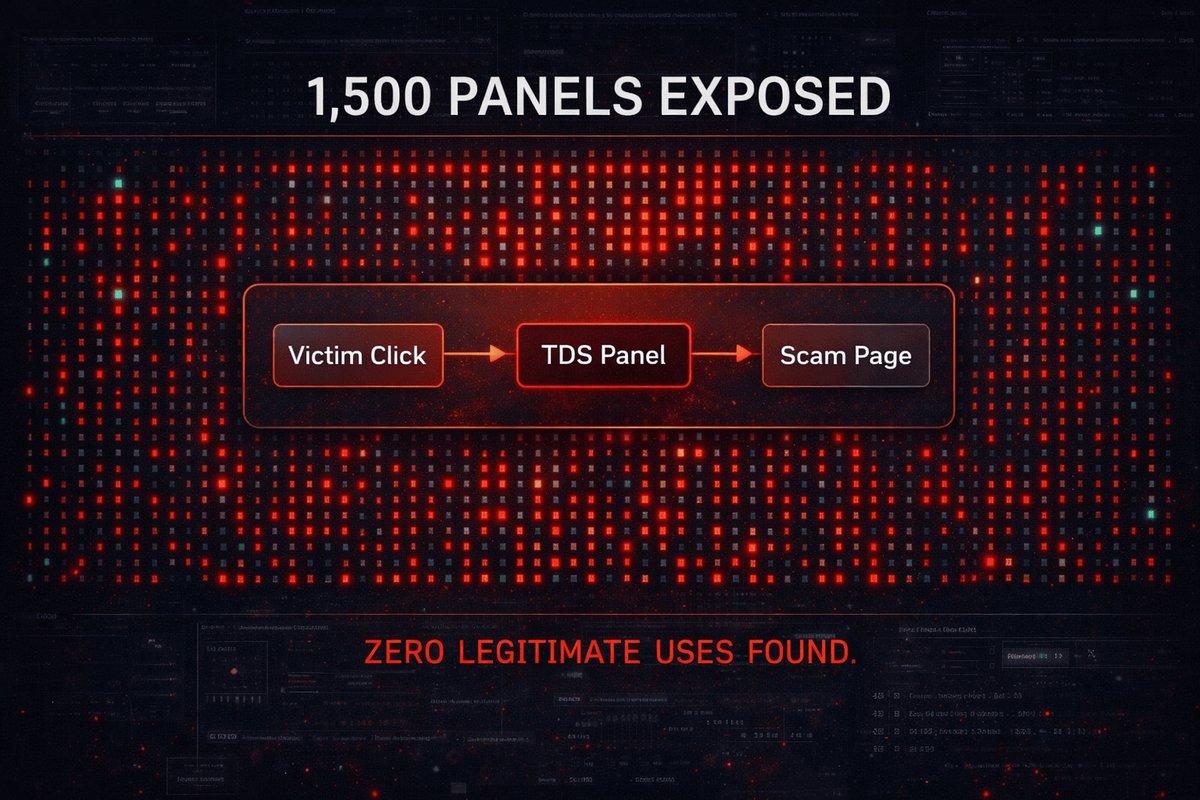
Our investigation, published as Keitaro TDS: 1,500+ Panels Exposed, identified 1,565 active Keitaro panels serving phishing infrastructure. Not 1,565 phishing pages — 1,565 control panels, each managing dozens to hundreds of phishing campaigns simultaneously.

Other TDS platforms we encounter include:
- Binom — Self-hosted tracker popular in CIS-region operations
- BeMob — Cloud-based tracker with IP filtering and bot detection
- Custom PHP routers — Homegrown scripts using MaxMind GeoIP and IP blocklists
- Cloudflare Workers — Edge-based routing that evaluates visitor attributes before the request even reaches the origin server
The common denominator: all of them exist to show different content to different visitors. In the affiliate marketing world, this is called “traffic optimization.” In phishing, it is called evasion.
We built the Keitaro Detection Tool to identify Keitaro TDS fingerprints on any domain. It checks for known panel paths, response header patterns, redirect chains, and JavaScript signatures associated with Keitaro installations.
The “Official Website Redirect” Scenario
One of the most common cloaking patterns we encounter is a domain that simply redirects to an official website. The appeal always looks the same: “Check it yourself — it just goes to coinbase.com. There’s no phishing.”
Here is what is actually happening:
The redirect to the official site is not a sign that the domain is harmless. It is the cloaking mechanism itself. The TDS determined that the visitor is a scanner, and the safest response — the one most likely to result in a clean scan — is to redirect to the real website.
Here is a simplified example of the server-side logic:
// Simplified cloaking router (illustrative)
const SCANNER_IPS = ['34.0.0.0/8', '35.0.0.0/8', '64.233.0.0/16']; // Google, etc.
const BOT_UA = /bot|crawl|spider|scan|check|virus|curl|wget|python/i;
const TARGET_GEO = ['US', 'GB', 'CA', 'AU'];

function routeVisitor(req) {
  const ip = req.headers['cf-connecting-ip'];
  const ua = req.headers['user-agent'];
  const geo = req.headers['cf-ipcountry'];

  // If scanner/bot detected: redirect to official site
  if (isInRange(ip, SCANNER_IPS) || BOT_UA.test(ua)) {
    return Response.redirect('https://www.coinbase.com', 302);
  }

  // If not in target geography: show white page
  if (!TARGET_GEO.includes(geo)) {
    return renderWhitePage(); // Innocent blog post
  }

  // Real victim from target country: show phishing page
  return renderPhishingPage(); // Credential harvester
} No legitimate website redirects visitors to another company’s domain. If crypto-wallet-app[.]com redirects to coinbase.com, that domain has no reason to exist. A real Coinbase page would be hosted on coinbase.com. The redirect is the tell.
The White Page Problem
A “white page” is the decoy content that a cloaked phishing domain shows to scanners and non-targeted visitors. Despite the name, it is rarely a blank white page. Modern white pages are fully functional websites designed to look legitimate:
- Blog posts about cryptocurrency, finance, or technology
- Product landing pages for generic SaaS tools
- News articles scraped from legitimate publications
- Parked domain pages with generic “coming soon” messaging
- SEO-optimized content designed to rank in search results
This last point is critical. White pages are not just evasion tools — they are SEO weapons. By hosting high-quality content on a phishing domain, operators achieve two goals simultaneously: they evade detection and they build domain authority that makes their phishing links rank higher in search results.
The 3-Phase SEO Poisoning Attack
This is the full lifecycle of a white-page-powered phishing campaign:
Build Authority
Rank & Index
Activate Phishing
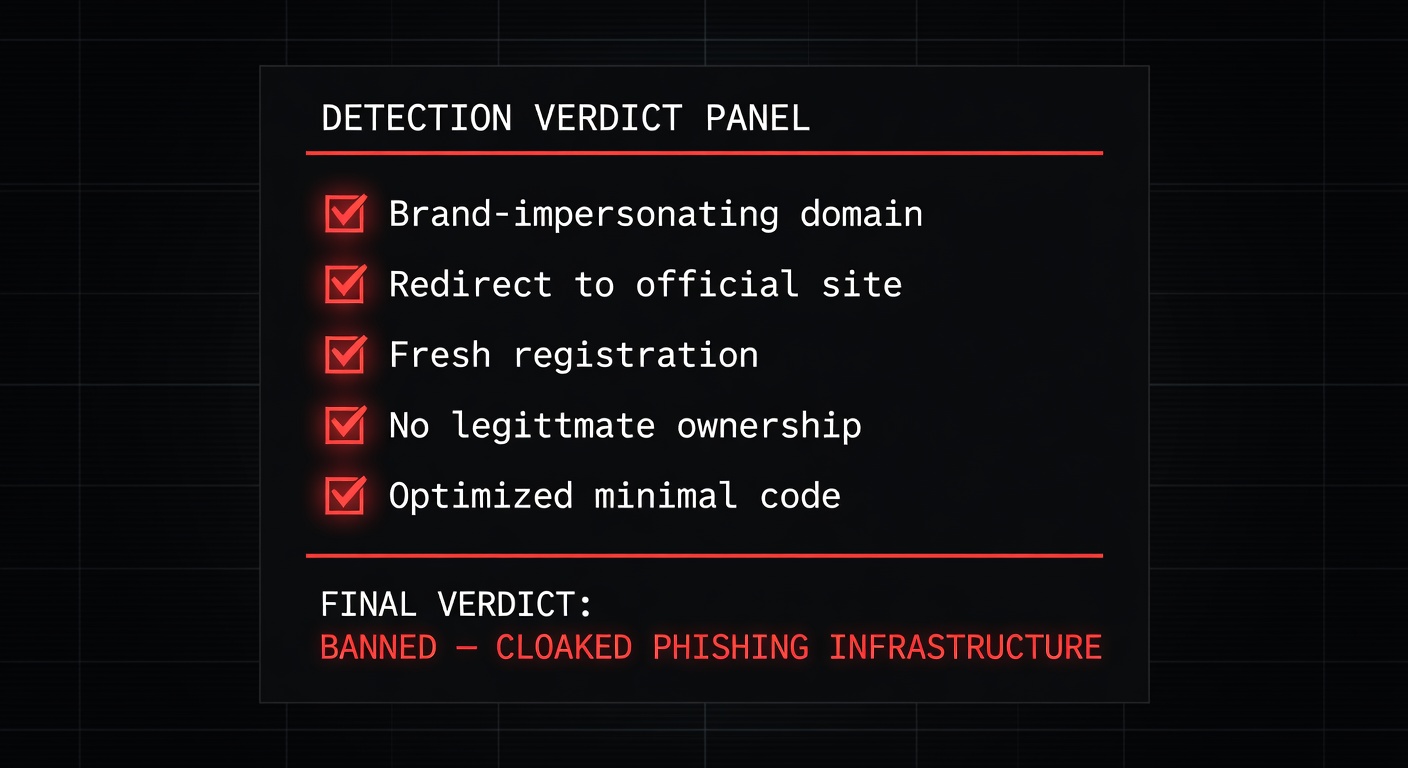
This is why we flag domains at Phase 1. By the time Phase 3 activates, the damage is already being done. Waiting for the phishing page to appear means waiting for victims to lose their credentials and their money.
Active Traffic Scenarios: Ads and Email Campaigns
Not all cloaked phishing relies on organic search. Two of the most aggressive traffic acquisition methods are paid advertising and email campaigns, both of which exploit cloaking to bypass platform review.
Google Ads Cloaking
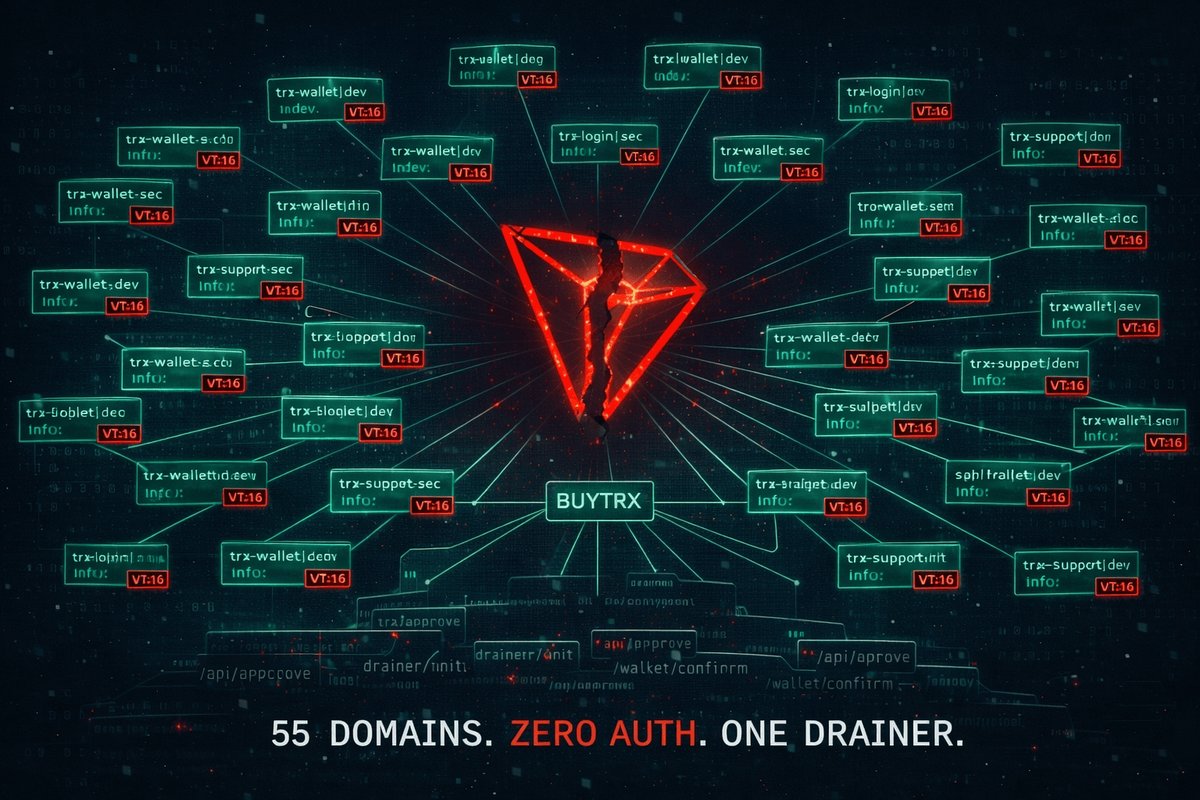
Our investigation into the BUYTRX drainer network documented 55+ domains using Google Ads to drive traffic to wallet drainers. The mechanism:
- Operator submits domain to Google Ads review. Google’s crawler sees the white page (a blog about blockchain technology). Ad approved.
- Ad runs, targeting “connect wallet” and “crypto airdrop” keywords.
- Google user clicks the ad. TDS sees a residential IP arriving from a Google Ads referrer. Wallet drainer served.
- Victim connects their wallet. Assets are drained within seconds via a pre-signed transaction.
Google’s ad review system — like every automated scanner — sees only the white page. The ad continues running, the operator continues paying Google for each victim delivered.
Email Campaign Cloaking
Email gateways (Microsoft Defender for Office 365, Proofpoint, Mimecast) scan links in emails before delivery. Cloaking handles this the same way:
- Phishing email contains link to cloaked domain.
- Email gateway scans the URL. Server-side TDS recognizes the gateway’s IP range. Returns the white page or a redirect to the official site. Email delivered.
- Recipient clicks link from their mail client. Residential IP, correct referrer, target geography. Phishing page served.
In the BUYTRX investigation alone, Google Ads was actively funding the distribution of wallet drainers across 55+ domains. Each domain passed Google’s automated review because Google’s crawler was shown the white page. This is not a loophole — it is a structural failure in how ad platforms validate landing pages when cloaking is present.
Why “Innocent Until Proven Guilty” Doesn’t Apply Here
We sometimes hear the argument that flagging a domain based on cloaking infrastructure is premature — that we should wait for the actual phishing content to appear before taking action. This argument misunderstands what cloaking is.
Cloaking is not a neutral technology. It is adversarial infrastructure designed specifically to defeat detection. A domain deploying cloaking has already declared its intent: to show one thing to security systems and another to victims. That is not a configuration that serves any legitimate purpose.
Any domain exhibiting any combination of these signals is flagged as malicious:
- Conditional content serving — Different content based on IP, UA, geo, referrer, or device fingerprint
- TDS fingerprints — Keitaro, Binom, BeMob, or custom router signatures in response headers, redirect chains, or JavaScript
- Redirect to official sites — Any redirect to a third-party legitimate domain (especially banking, crypto, or email providers)
- White page with unrelated content — Blog posts, news articles, or generic content on a domain registered recently with no established business presence
- Anti-bot JavaScript — Fingerprinting scripts that check for headless browsers, WebDriver, screen dimensions, or canvas rendering before deciding what to display
In our dataset of over 50,000 scanned sites, the number of domains exhibiting these signals that turned out to be legitimate is zero. Not “rare” — zero. We have never encountered a single legitimate website that needed to redirect non-targeted visitors to another company’s domain, or serve a blog about cryptocurrency to scanners while serving a login form to visitors from specific IP ranges.
Cloaking is a binary signal. If a domain shows different content to different visitors using the mechanisms described above, it is flagged. If an operator believes this is a false positive, our appeals process exists for exactly this purpose. To date, no cloaking-related flag has been successfully appealed.
The Registrar Problem
Cloaking creates a downstream problem for abuse reporting. When we report a cloaked domain to a registrar, the registrar’s abuse team visits the URL and sees … a clean page. A blog post. A redirect to coinbase.com. From their perspective, there is nothing to act on.
This is the exact scenario that played out in our NiceNIC investigation and our NameSilo investigation. In both cases, registrars checked the reported domains, saw clean content, and either closed the case or actively defended the domain operator.
The problem is systemic:
- Registrar abuse teams use the same scanning methods as AV vendors — they visit the URL from datacenter IPs using standard browsers. Cloaking defeats this every time.
- No registrar has invested in cloaking detection — the technology to detect conditional content serving exists (we built it), but no registrar has implemented it.
- ICANN’s abuse framework doesn’t account for cloaking — abuse reports require evidence of harmful content. If the harmful content is only shown to victims, the registrar’s own verification process will never find it.
We have documented this pattern extensively. Our report When Abuse Reports Go Nowhere details how registrars systematically fail to act on cloaked domains because their verification methods are exactly what cloaking is designed to defeat.
This is why PhishDestroy exists as an independent layer. We don’t rely on visiting the URL from a single IP and checking what it shows. We analyze redirect chains, TDS fingerprints, JavaScript behavior, DNS history, certificate transparency logs, and temporal patterns across thousands of domains. When we flag a domain, we have already accounted for the fact that the domain will look clean to anyone who checks it the obvious way.
Summary: Cloaking Techniques and Detection
| Technique | What Scanners See | What Victims See | Detection Method |
|---|---|---|---|
| IP-based filtering | White page / redirect | Phishing page | Multi-IP scanning, residential proxy comparison |
| UA-based filtering | White page / 403 | Phishing page | UA rotation, headless vs. real browser comparison |
| Geo-based filtering | Generic content | Localized phishing | Multi-region proxy scanning |
| Referrer filtering | White page | Phishing (from ad/email) | Referrer spoofing, ad click simulation |
| JS fingerprinting | White page (bot detected) | Phishing (real device) | JavaScript static analysis, deobfuscation |
| Time-based rules | Clean (off-hours) | Phishing (business hours) | Temporal scanning, time-zone-aligned checks |
| Cookie/session gating | Clean (first visit) | Phishing (return visit with cookie) | Multi-visit session analysis, cookie replay |
| TDS (Keitaro/Binom) | White page or redirect | Routed to phishing | Keitaro Detection Tool, header/redirect analysis |
| Official site redirect | 302 → legitimate site | Phishing page | Redirect target analysis, domain purpose validation |

Conclusion
Cloaking is not a gray area. It is the single most effective evasion technique in modern phishing, and every component of the phishing ecosystem — from Google Ads to email gateways to registrar abuse teams — is currently failing to address it.
When PhishDestroy flags a domain for cloaking, we are not making a guess. We are documenting the presence of adversarial infrastructure that exists for one purpose: to show different content to different visitors. In 50,000+ scans, the false positive rate for this signal is zero.
If your domain was flagged:
- If you are a legitimate operator and believe this is a false positive, submit an appeal. We review every one.
- If you are running cloaking infrastructure, we already know. The white page you showed our scanner is not what your victims see. And we have the evidence to prove it.
The white page is not a defense. It is a confession. If your domain needs to show different content to different visitors, you have already answered the question of whether it is malicious.
Every cloaked domain gets banned. No exceptions. No appeals have succeeded. Because in 50,000 scans, we have never been wrong about this signal.
Related Research & Resources
Keitaro TDS: 1,500+ Panels Exposed
How we mapped 1,565 Keitaro panels powering phishing infrastructure worldwide.
Keitaro Detection Tool
Scan any domain for Keitaro TDS fingerprints, redirect chains, and cloaking signatures.
BUYTRX: 55 Domains, Google Ads Funding
A wallet drainer network using cloaked white pages to pass Google Ads review.
When Abuse Reports Go Nowhere
Why registrar abuse teams fail to act on cloaked domains and what needs to change.
NiceNIC Verdict
ICANN filing against NiceNIC for systematic failure to act on abuse reports.
NameSilo Investigation
How NameSilo defended a $2M crypto thief and fabricated a cover story.
This article is based on our operational experience scanning 50,000+ domains, investigating active phishing infrastructure, and filing abuse reports with registrars and ICANN. All techniques described are documented with evidence. No unauthorized access was performed at any point during our research.