Protect Your Crypto Assets: A Guide to Security Against Phishing and Scams
In the world of cryptocurrencies, security is not just a recommendation, but a necessity. Learn how to protect your digital assets from the constantly evolving threats of phishing, scams, and other fraudulent schemes.
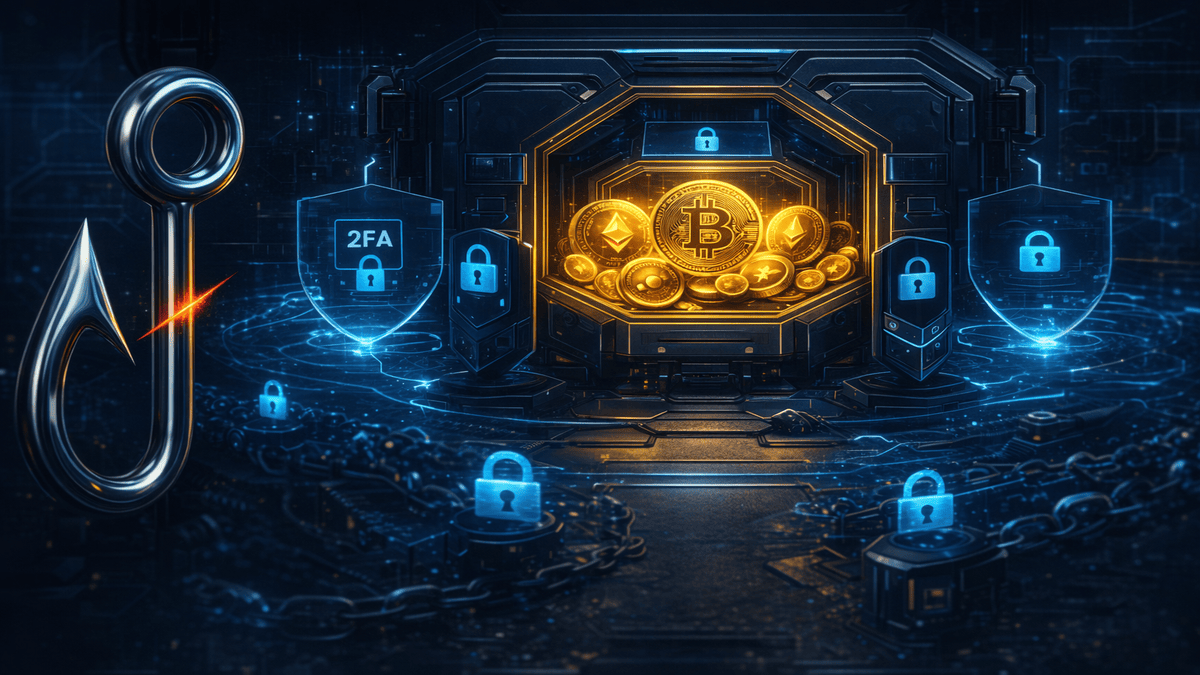
The decentralized world of cryptocurrencies opens up immense opportunities, but with them come new risks. Phishing, scams, malicious smart contracts, and other types of fraud constantly threaten your digital assets. To stay safe, it is essential to be informed and take proactive security measures.
Key Threats to Crypto Assets
1. Phishing and Fake Websites
Scammers create exact replicas of popular crypto exchanges, wallets, or DeFi platforms to trick you into revealing your private keys, seed phrases, or login credentials. Always double-check the website's URL and use bookmarks instead of links from emails or messages.
2. Wallet Drainers
These are malicious scripts that, upon connecting to your wallet or signing a transaction, can drain it by transferring all your assets to the attacker's wallet. They often masquerade as legitimate dApps, NFT projects, or airdrops.
3. Scams and Social Engineering
This includes promises of easy money, fake giveaways, "pump-and-dump" schemes, and technical support scams where you are asked for wallet access or personal information.
Where Do Crypto Scammers Reach You?
Crypto scammers reach people through search ads, social replies, direct messages, comments, fake recruiting messages, and browser extensions. The channel changes, but the request is usually the same: open an unfamiliar link, disclose a seed phrase, install software, or sign an unexpected wallet transaction.
Google Ads and brand searches
A sponsored result can imitate a wallet or exchange and lead to a lookalike domain.
Watch for: misspelled domains, misleading sponsored listings, and any page asking for a seed phrase.
Medium and Substack comments
Fake recovery stories often direct victims to a private Telegram account or an unverified "chain analyst."
Watch for: new accounts, generic recovery claims, and Telegram-only contact details.
X replies
Impersonator accounts clone a well-known name and avatar, then reply with a fake giveaway or support link.
Watch for: altered handles, rushed replies, and links to domains unrelated to the real project.
Discord support DMs
Fake moderators contact users after they post in a public support channel and send them to a fraudulent ticket page.
Watch for: unsolicited DMs, wallet "revalidation," and newly created profiles.
Telegram support bots
Impersonator bots appear in project chats and offer private wallet recovery or account support.
Watch for: support accounts that message first, seed-phrase requests, and lookalike bot names.
YouTube tutorial comments
Comments under wallet and trading videos promote fake signal groups, recovery services, or investment links.
Watch for: guaranteed earnings, screenshots offered as proof, and Telegram-only contact.
Reddit DMs
After a user asks a crypto question, an impersonator may send a private message with a fake support form.
Watch for: non-moderator accounts using "official" in the name and links sent only by DM.
LinkedIn recruiter messages
A fake recruiter may ask a target to run a coding exercise or repository that contains malware.
Watch for: mismatched email domains, obfuscated build scripts, and pressure to execute unfamiliar code.
Fake browser extensions
Clone wallet and security extensions can imitate a trusted product while stealing secrets or changing transaction data.
Watch for: an unofficial publisher, suspicious review patterns, and permissions unrelated to the extension's purpose.
One rule covers every channel: a legitimate service does not need your seed phrase. Do not sign an unexpected transaction or install an executable to "verify" a wallet.
Practical Steps to Protect Your Crypto Assets
1. Regularly Revoke Permissions (Revoke.cash)
Every time you interact with a smart contract (e.g., approving tokens for a decentralized exchange or NFT marketplace), you grant it permission to access a certain amount of your tokens. If the contract turns out to be malicious or gets compromised, these permissions can be exploited to drain your wallet.
- What to do: Use services like Revoke.cash. This tool allows you to view and revoke all permissions you have granted to smart contracts. Regularly check and revoke unnecessary or suspicious permissions. This is critically important for minimizing risks.
2. Timely Updates of Systems and Applications
Outdated software is an open door for attackers. Updates often include security patches that close known vulnerabilities.
- What to do:
- Operating System: Ensure your OS (Windows, macOS, Linux) is always updated to the latest version.
- Browsers: Use up-to-date versions of browsers (Chrome, Firefox, Brave, etc.), as they often include built-in security features against phishing.
- Crypto Wallets and Extensions: Regularly update your software wallets (e.g., MetaMask) and any associated extensions.
3. Wallet Diversification: Don't Put All Your Eggs in One Basket
Storing all your crypto assets in one wallet increases the risk of losing everything in the event of a hack or phishing attack.
- What to do:
- Hot Wallets: Use them only for small amounts intended for daily transactions or dApp interactions.
- Cold Wallets / Hardware Wallets: For long-term storage of significant amounts, use hardware wallets (Ledger, Trezor). They provide maximum security by keeping your private keys offline.
- Asset Segregation: Distribute your assets across multiple wallets and exchanges to minimize potential damage from a single successful attack.
4. Always Verify Addresses and Signed Transactions
Scammers can use malware to change the recipient's address in the clipboard or spoof transaction details.
- What to do:
- Double-check: Always carefully verify the recipient's address before sending funds, especially the first and last few characters.
- Read Signature Requests: Carefully read all transaction signature requests in your wallet. Make sure you understand exactly what you are approving. Suspicious requests (e.g., for "Set Approval For All" to an unknown contract) could be drainers.
5. Use Two-Factor Authentication (2FA)
2FA adds an extra layer of security to your accounts on exchanges and services.
- What to do: Enable 2FA wherever possible, using authenticator apps (Google Authenticator, Authy) instead of SMS, as SMS-2FA is more vulnerable to interception.
6. Beware of Unexpected Offers and Messages
If an offer seems too good to be true, it probably is.
- What to do: Ignore messages from strangers promising "free" cryptocurrencies or easy earnings. Verify information through official project channels.
7. Hardware Wallets & Air-Gapped Signing
Hot wallets (browser/mobile) are the single largest attack surface in crypto. Move long-term holdings to a hardware wallet — Ledger, Trezor, Keystone, or BitBox — where private keys never leave the device. For high-value transactions consider air-gapped signing via QR code (Keystone, Coldcard, AirGap Vault) so even a compromised computer cannot exfiltrate keys.
- Buy hardware wallets only from manufacturer-direct channels — supply-chain tampering is a real attack.
- Set up the device in a clean environment; verify firmware signatures before first use.
- Record the seed phrase on steel backups (Cryptotag, Billfodl) — paper burns and fades.
- Never type, photograph, or store the seed digitally — not in iCloud, Google Drive, password managers, or notes apps.
8. Approve Allowances With Caution
Wallet drainers don't need your seed — they need a single signed approval that lets them transfer your tokens. Each time you sign a transaction, read carefully:
- Check the function:
approve,setApprovalForAll,permit,increaseAllowance, andsignOrdergrant token-moving rights — not transfers. - Check the spender: the address you're approving should be a known protocol contract — never an EOA (externally owned account) or unverified contract.
- Check the amount: if asked for unlimited (
2^256-1), prefer setting an exact cap. - Check the chain: a phishing site may switch your wallet to an unexpected chain to bypass your filters.
- Use Blockaid, ScamSniffer, or Wallet Guard extensions to flag malicious approvals before signing.
9. Domain & Bookmark Hygiene
The most successful phishing attacks target the moment you type a URL or click a link. Defenses:
- Bookmark every wallet, exchange, and bridge you use — never type domains by hand for sensitive sites.
- Avoid sponsored/ad results in Google — sponsored crypto-wallet, exchange, and bridge keywords are the #1 phishing vector. We document this in Registrars Enabling Global Scams.
- Distrust any URL with extra characters:
uniswap-app.org,metamask-extension.com,app-pancakeswap.io— official domains are simple. - Verify domains via Certificate Transparency (crt.sh) — a freshly-issued certificate for a brand look-alike is a giant red flag.
10. Beware of "Adverting" & Workplace Viewer Scams
Crypto teams are increasingly hit by business-style social engineering disguised as advertising or partnership offers. The attacker asks you to install a "media kit viewer", "ad manager", "Zoom client", or "secure NDA tool" — that "tool" is a stealer. We documented one case where this approach drained a project's funds: $100K Returned — Adverting Scam Foiled.
- Never install special clients, viewers, or "updaters" provided by unverified third parties.
- Use only official vendor downloads for Zoom, Telegram, Discord — never sponsored search results.
- If a workflow demands a custom client, treat it as hostile by default.
11. Operational Hygiene for Crypto Teams
- Dedicated machine for treasury operations — fresh OS, hardware wallet, minimal extensions, no email/social.
- Multi-sig for any treasury larger than monthly burn (Safe, Squads, etc.).
- Whitelist withdrawal addresses on exchanges; require time-locks where possible.
- Backup operational seeds in geographically distributed steel storage with M-of-N split (Shamir's Secret Sharing).
- Incident playbook: pre-document who calls whom, which wallets to revoke, where audit logs live. The first hour after a breach is decisive.
12. If You're Already Compromised
- Move funds immediately from any wallet that touched a malicious site or signed a suspicious transaction. Speed matters more than perfect process.
- Revoke all token approvals at revoke.cash from a clean device.
- Disconnect the compromised device from all networks; rotate every credential touched on that machine; reinstall the OS from clean media.
- Preserve evidence: disk image, browser history, transaction hashes — you'll need this for an incident report and possible recovery.
- Report to @PhishDestroy_bot and contact SEAL 911 for emergency security professional help.
- Read our full incident-response guide: Critical Action — what to do after a hack.
Additional Resources for Enhanced Security
Staying informed is half the battle. Recommended sources:
- Security Alliance — Malware — in-depth analysis of malware families targeting crypto users.
- PhishDestroy destroylist — 130K+ active phishing/scam domains, integrate into your DNS, firewall, or browser.
- @PhishDestroyAlerts — real-time alerts of fresh scam infrastructure.
- Anatomy of a Takedown — how PhishDestroy disrupts phishing infrastructure.
- Open-Source Tools for Fighting Cybercrime — full OSINT toolkit.
- 150+ Fake Mozilla Extensions Investigation — how malicious extensions harvest seeds.
"At PhishDestroy, we strive to provide you with the tools and knowledge to stay safe in the digital world. Remember, your vigilance is your first and best line of defense."
Protecting your crypto assets requires constant attention and proactive measures. By following these recommendations, you will significantly reduce the risks of falling victim to scammers and can navigate the world of decentralized finance with greater confidence.
