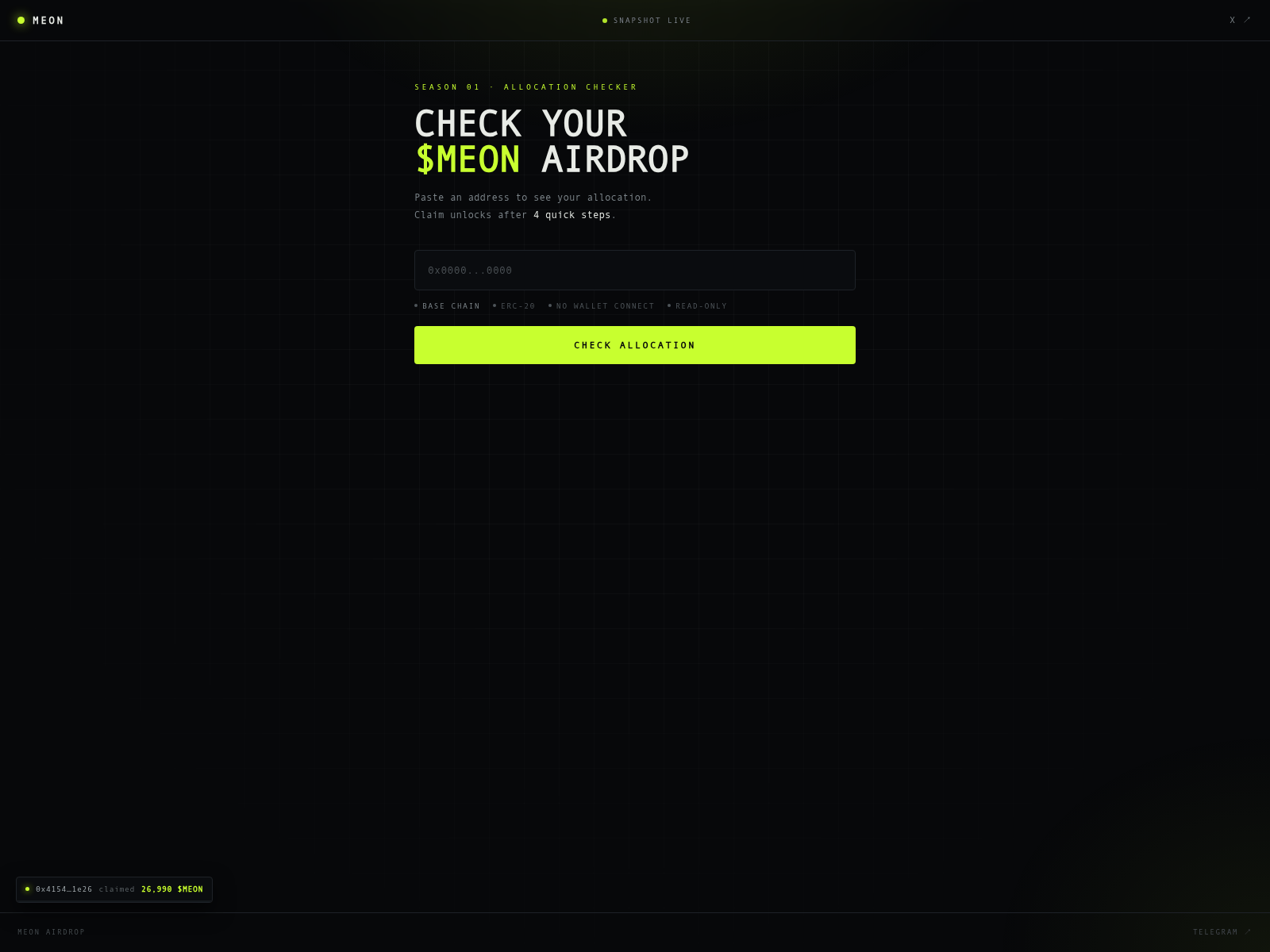
On 2026-11-08, meonfun.com displayed a dark-themed page labeled "SEASON 01 · ALLOCATION CHECKER" with the heading "CHECK YOUR $MEON AIRDROP." The page invites visitors to paste an address to see their allocation, stating that the claim unlocks after 4 quick steps. Below the address input field, labels read "BASE CHAIN," "ERC-20," "NO WALLET CONNECT," and "READ-ONLY," followed by a bright "CHECK ALLOCATION" button.
URLScanによるキャプチャ · 2026-11-08 22:57 UTC · SHA-256 c2043e30…5ed7238
PhishDestroyの分析(レビュー済み版)
元のフォレンジック記録を保持するため、下の PhishDestroy AI 詳細分析は英語のままです。
On 2026-11-08, meonfun.com displayed a dark-themed page labeled "SEASON 01 · ALLOCATION CHECKER" with the heading "CHECK YOUR $MEON AIRDROP." The page invites visitors to paste an address to see their allocation, stating that the claim unlocks after 4 quick steps. Below the address input field, labels read "BASE CHAIN," "ERC-20," "NO WALLET CONNECT," and "READ-ONLY," followed by a bright "CHECK ALLOCATION" button.
The header shows a "SNAPSHOT LIVE" indicator, and a small footer notice displays a truncated address with a claimed amount of 26,990 $MEON. A "TELEGRAM" link appears in the bottom corner. The page's stated purpose is to let users check an airdrop allocation by entering a wallet address and submitting it through the check button.
PhishDestroy records meonfun.com as a page presenting a $MEON airdrop allocation checker that asks visitors to paste an address and check their allocation.
AIによる要約
On 2026-11-08, meonfun.com displayed a dark-themed page labeled "SEASON 01 · ALLOCATION CHECKER" with the heading "CHECK YOUR $MEON AIRDROP." The page invites visitors to paste an address to see their allocation, stating that the claim unlocks after 4 quick steps. Below the address input field, labels read "BASE CHAIN," "ERC-20," "NO WALLET CONNECT," and "READ-ONLY," followed by a bright "CHECK ALLOCATION" button. The header shows a "SNAPSHOT LIVE" indicator, and a small footer notice displays a truncated address with a claimed amount of 26,990 $MEON. A "TELEGRAM" link appears in the bottom corner. The page's stated purpose is to let users check an airdrop allocation by entering a wallet address and submitting it through the check button.

 Dominet (HK)
 172.67.175.189


 Microsoft
 Cloudflare
 Yandex
 ESET
 ビットディフェンダー
 Norton
 Symantec
 Avira
 Avast / AVG
 カスペルスキー
 Dr.Web
 ネットクラフト
 PhishTank
 APWG eCX
 PhishStats
 Phish.Report
 PolySwarm
 CheckPhish
 Quttera
 URLquery
 Criminal IP
 CRDF
 Scamadviser
 MyWOT