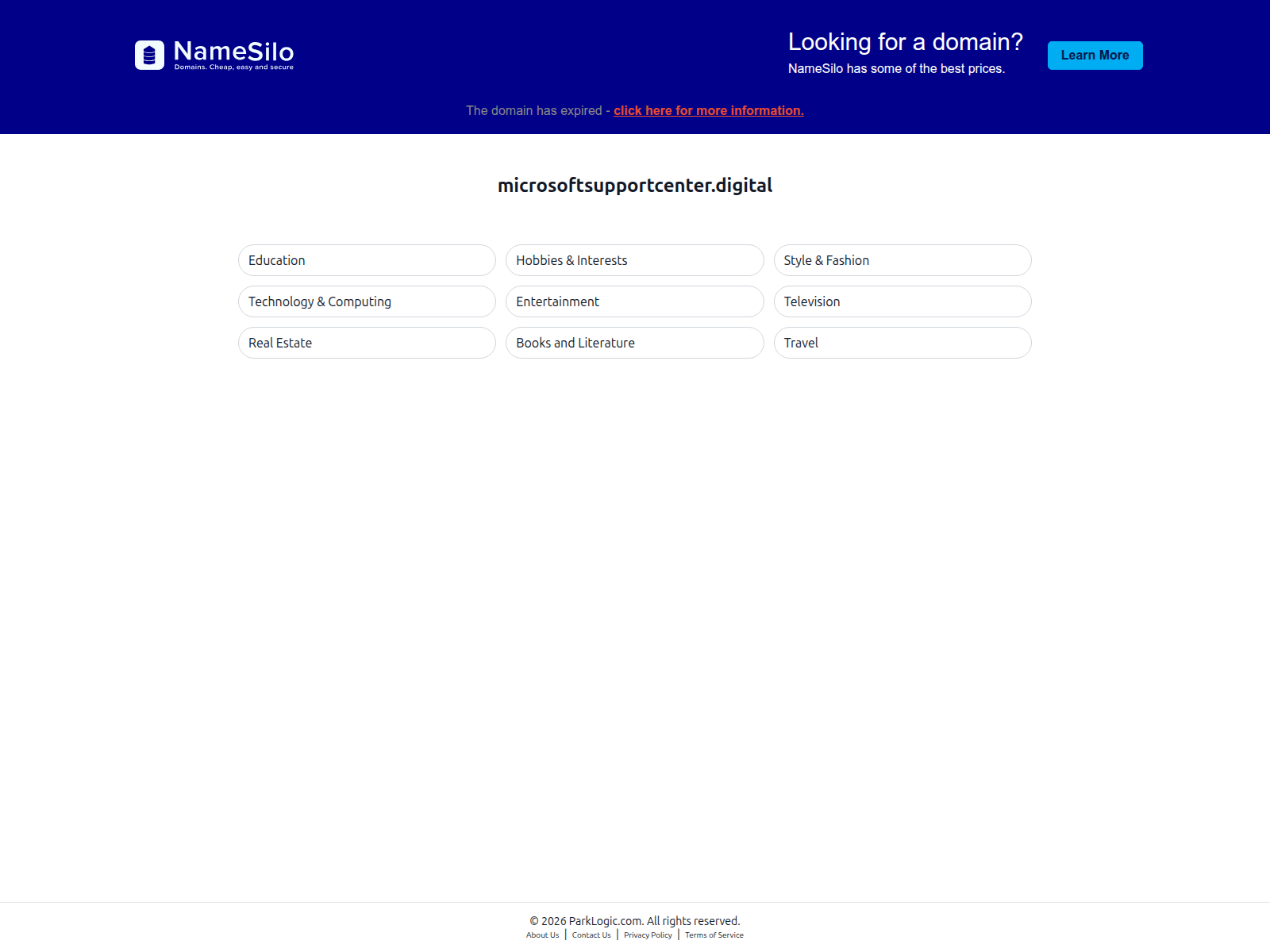
PhishDestroy first recorded click5.microsoftsupportcenter.digital on 2026-10-11. Stored VirusTotal result: 15/92 engines flagged. Malicious: 14. Suspicious: 1. Analysis time (as stored): 2026-10-13 23:45 UTC. Retrieved (as stored): 2026-10-21 00:29 UTC. Google Safe Browsing flags it.
Page title: “Redirecting...”
More about the sources
Recorded security signals
Stored VirusTotal result: 15/92 engines flagged. Malicious: 14. Suspicious: 1. Analysis time (as stored): 2026-10-13 23:45 UTC. Retrieved (as stored): 2026-10-21 00:29 UTC. Use caution — do not enter credentials or personal information.
Risk signals
VirusTotal detections: 15/92Google Safe Browsing: threat flag recorded
Expert view has every section: DNS, TLS, network requests, hashes and the raw JSON.
Analysis
Domain summary
PhishDestroy first recorded click5.microsoftsupportcenter.digital on 2026-10-11. Stored VirusTotal result: 15/92 engines flagged. Malicious: 14. Suspicious: 1. Analysis time (as stored): 2026-10-13 23:45 UTC. Retrieved (as stored): 2026-10-21 00:29 UTC. Google Safe Browsing flags it. Risk: critical (evidence score 98/100). Registrar: NameSilo. Status: Content unavailable. Hosting: Akamai Connected Cloud. Do not enter credentials or connect a wallet.
click5.microsoftsupportcenter.digital is an impersonation phishing page that trades on the Microsoft name, wrapping it in a fake "support center" domain to look like an official help channel. It targets Microsoft users who believe they are dealing with genuine support. PhishDestroy first flagged it on 2026-10-11, and it was still online with live content on 2026-10-19.
How the scam works
Sites built on a "Microsoft support" name usually reach victims through links in emails, ads or pop-up warnings that claim an account or device problem. The visitor is then pushed toward a page that asks for Microsoft account credentials or a call to a fake support line. Either path can end with stolen logins, remote-access tools on the computer, or payment for useless "fixes". The page itself carries only the title "Redirecting...", which suggests a hand-off point that forwards visitors elsewhere, while our classification is Microsoft impersonation phishing.
Evidence
Sixteen of 92 VirusTotal engines flagged the domain as of 2026-10-12. The flagging vendors include BitDefender, CRDF, ESET, Forcepoint ThreatSeeker, Fortinet, G-Data, Google Safe Browsing and Gridinsoft. Google Safe Browsing lists it under SOCIAL_ENGINEERING, so Chrome, Firefox and Safari users should see a warning before the page loads. The domain is also on the PhishDestroy blocklist.
Infrastructure
The parent domain was registered through NameSilo, LLC on 2025-10-06, about a year before PhishDestroy detected this subdomain. That gap points to an operator who registered the name ahead of time rather than running a throwaway site. The host sits on Akamai Connected Cloud in the US. It uses a free Let's Encrypt certificate, so the padlock in the browser says nothing about whether Microsoft is behind it.
What to do
If you typed a Microsoft password on a page reached through this domain, change it right away from the real Microsoft account site and review recent sign-in activity. Turn on two-factor authentication and change the same password anywhere else you reused it. If you called a number or let someone connect to your computer, uninstall any remote-access tool they had you install and run a full security scan. If you paid them, contact your bank or card issuer to dispute the charge. Defenders should block the full microsoftsupportcenter.digital domain, not just this one subdomain, and search mail and proxy logs for users who clicked through.
This is a separate stored result. Its counts, vendors and dates do not replace the provider observation above. A retrieval date is not an analysis date.
Open report Title, description and generation record
The narrative generation date is separate from observation dates. These are the retained publication fields, not an additional independent detection.
AI title
click5.microsoftsupportcenter.digital — Microsoft Phishing
AI description
click5.microsoftsupportcenter.digital is a Microsoft impersonation phishing page posing as support, targeting Microsoft account users and their logins.
AI summary
Overview click5.microsoftsupportcenter.digital is an impersonation phishing page that trades on the Microsoft name, wrapping it in a fake "support center" domain to look like an official help channel. It targets Microsoft users who believe they are dealing with genuine support. PhishDestroy first flagged it on 2026-10-11, and it was still online with live content on 2026-10-19. How the scam works Sites built on a "Microsoft support" name usually reach victims through links in emails, ads or pop-up warnings that claim an account or device problem. The visitor is then pushed toward a page that asks for Microsoft account credentials or a call to a fake support line. Either path can end with stolen logins, remote-access tools on the computer, or payment for useless "fixes". The page itself carries only the title "Redirecting...", which suggests a hand-off point that forwards visitors elsewhere, while our classification is Microsoft impersonation phishing. Evidence Sixteen of 92 VirusTotal engines flagged the domain as of 2026-10-12. The flagging vendors include BitDefender, CRDF, ESET, Forcepoint ThreatSeeker, Fortinet, G-Data, Google Safe Browsing and Gridinsoft. Google Safe Browsing lists it under SOCIAL_ENGINEERING, so Chrome, Firefox and Safari users should see a warning before the page loads. The domain is also on the PhishDestroy blocklist. Infrastructure The parent domain was registered through NameSilo, LLC on 2025-10-06, about a year before PhishDestroy detected this subdomain. That gap points to an operator who registered the name ahead of time rather than running a throwaway site. The host sits on Akamai Connected Cloud in the US. It uses a free Let's Encrypt certificate, so the padlock in the browser says nothing about whether Microsoft is behind it. What to do If you typed a Microsoft password on a page reached through this domain, change it right away from the real Microsoft account site and review recent sign-in activity. Turn on two-factor authentication and change the same password anywhere else you reused it. If you called a number or let someone connect to your computer, uninstall any remote-access tool they had you install and run a full security scan. If you paid them, contact your bank or card issuer to dispute the charge. Defenders should block the full microsoftsupportcenter.digital domain, not just this one subdomain, and search mail and proxy logs for users who clicked through. Useful links urlscan.io scan and screenshot: https://urlscan.io/result/01a122ee-e1aa-7677-8f44-ad6e31ed3b51/ VirusTotal report: https://www.virustotal.com/gui/domain/click5.microsoftsupportcenter.digital Google Safe Browsing status: https://transparencyreport.google.com/safe-browsing/search?url=click5.microsoftsupportcenter.digital Report phishing to Google: https://safebrowsing.google.com/safebrowsing/report_phish/ Site owner? Request a review: https://phishdestroy.io/appeals/
Stored registration data identifies NameSilo as the registrar. PhishDestroy maintains separate registrar investigations; that broader material is contextual and is not an independent detection for this domain.
Questions about click5.microsoftsupportcenter.digital
Is click5.microsoftsupportcenter.digital legit?
PhishDestroy rates click5.microsoftsupportcenter.digital as critical risk (evidence score 98/100) from the recorded evidence; it was first recorded on 2026-10-11. Stored VirusTotal result: 15/92 engines flagged. Malicious: 14. Suspicious: 1. Analysis time (as stored): 2026-10-13 23:45 UTC. Retrieved (as stored): 2026-10-21 00:29 UTC. Google Safe Browsing flags it. The local score and a listing do not prove fraud. Check each source’s date and the exact URL.
Is click5.microsoftsupportcenter.digital safe to connect a wallet?
Because of the risk signals above, do not connect a wallet, sign messages or approve token permissions on click5.microsoftsupportcenter.digital. A confirmed blockchain transaction cannot be reversed.
What should I do if I used click5.microsoftsupportcenter.digital?
Entered a password — change it on that service and on every other site where you used the same password
Turn on two-factor authentication — where the service offers it; an authenticator app is stronger than SMS codes
Paid or entered card or bank details — contact your bank or payment service through the contacts on your card or its official website
Connected a wallet but signed nothing — disconnect the site in the wallet and reject pending requests; a connection by itself does not move funds
Approved token spending (approve / permit) — revoke that approval with a token-approval checker
Shared a seed phrase or private key — move the remaining funds to a new wallet with a new seed phrase; the exposed wallet is no longer safe
Downloaded a file — do not open it and scan the device with security software
Keep the address, dates, payment or transaction details and messages for a report to the police or another competent authority. A report does not guarantee that money is returned. Step-by-step help: emergency guide.
Issued by Let's Encrypt / YE2· stored validity ends in 40 days
Social preview cardclick5.microsoftsupportcenter.digital: Microsoft impersonation — Flagged by Google Safe Browsing, 16/92 VirusTotal engines. PhishDestroy risk score 100/100 (critical).v cd86b2daffc6
Registration (base domain)microsoftsupportcenter.digital · Created 2025-10-06 —Expires 2027-10-06
Time to First Unavailability35 days
What we count Elapsed time from the first stored abuse report to the first observation that the content was unavailable. This does not establish the cause.
What each report contains Stored outgoing-report records may reference evidence available at the time, such as vendor verdicts, registration data, hosting details, classifications, or screenshots. This page does not infer the exact payload delivered, receipt, acknowledgement, or action by a recipient.
Technical detailsProvenance & timestamps
First Detected2026-10-11
DOM Analysisanalyzed 2026-10-13score 98/1001 brand signal
Registrable domain behind this subdomain: microsoftsupportcenter.digital. For this gTLD, the registrar above operates under an ICANN accreditation agreement. The links below provide the official fee schedule and current DNS abuse compliance guidance.
Accreditation is a contract, not a safety certification.
RAA §3.18 establishes abuse-contact and handling requirements. This report can document stored outbound notices and later technical observations; it does not by itself establish receipt, investigation, remediation, or contractual non-compliance.
Accountability draft Nothing is sent automatically.
Network & certificates
Stored technical evidence
Network & DNS
Shared CDN edge
Resolved IP
172.237.129.108
Network ASN
AS63949
Organization
Akamai Technologies, Inc.
Observed location
Chicago, US
Server header
openresty
Edge-IP reputation is not attributed to this domain.
Nameservers 1
ns2.ns306.parklogic.com
SOA
nsname: ns1.ns306.parklogic.com
hostmaster: hostmaster.parklogic.com
serial: 1
refresh: 86400
retry: 7200
expire: 1209600
minttl: 300
Mail routing 1 MX record
mail.eye-mail.netpriority 1
Location describes the IP network.
TLS certificate
Issuer
Let's Encrypt / YE2
Valid from
2026-10-07 21:08:14
Valid until
2027-01-05 21:08:13
Hostname match
Yes
Validity
Within stored validity dates
Collection time
2026-10-12 22:02 UTC
Collection source
PhishDestroy collector
Certificate fingerprint96c77180a7861fb4630f45bc7fc0cbdbe3fc818b200526d4c5d278b5c2c631a1Certificate names · 2 SANs
*.microsoftsupportcenter.digital
microsoftsupportcenter.digital
Saved certificate metadata. Certificate dates without a timezone are shown as stored. Transport encryption does not establish that the site is trustworthy.
Primary outcomeDNS inactivereason: DNS NXDOMAIN80% confidence
Attributionsource: Dns Cache
Evidence layersAvailability: DNS inactiveContent: UnreachableDNS: NXDOMAIN
RDAP registration
Observed timelinelast reachable: 2026-11-15 11:37 UTClast content: 2026-11-15 11:37 UTCcurrent episode first observed: 2026-11-15 17:12 UTCobserved RIP window: 2026-11-15 11:37 UTC → 2026-11-15 17:12 UTC · 5.59hmidpoint estimate ≈ 2026-11-15 14:25 UTC · precision high · basis bounded
Availability, content, DNS and registration are independent evidence layers. NXDOMAIN, an unreachable origin or missing content alone does not prove registrar action. A registrar or provider is credited only when a direct technical marker identifies that actor. Report causality is shown separately.
Recorded subdomains1
Hostnames retained in the domain record or Certificate Transparency cache. A hostname alone does not establish current availability or malicious activity.
www.click5.microsoftsupportcenter.digitalDomain record
Network requests that the URLScan browser recorded while loading the page. URLScan does not provide a hash for every request. PhishDestroy retrieved this list on 2026-10-29 02:15 UTC.
Recorded events: 13. These records describe collected evidence, outgoing notifications and publication; they do not confirm a complete investigation or a takedown.
The latest stored checks indicate that the reported content is unavailable; this does not establish who or what caused the change.
Time to First Unavailability
Hours from detection to the first unavailable observation: 843
Recorded activity
4 entries
Lifecycle
Domain registered
Added to PhishDestroy+370 d 0 h
VirusTotal analysis with detections+62 h 6 min
Google Safe Browsing
Threat flag recorded
+12 d 5 h
VirusTotal
15/92 engine detections
+62 h 6 min
Added to PhishDestroy
click5.microsoftsupportcenter.digital
+34 h 27 min
URLScan
Malicious · engine verdict · score 66
How we investigate & report
Public scans, evidence and abuse channels
We scan suspicious URLs, inspect public results and send evidence through the appropriate abuse-reporting channels. The dated events above show what is recorded for this domain. The directory below explains the wider workflow.
01Public scans & evidence collection10 sources and tool groups
Inspect the public DNS, TLS, HTTP and technology surface.
02Abuse reports & follow-upRegistrar, hosting and security channels
Identify the responsible provider. Match registration and hosting records to the relevant abuse contact.
Prepare an evidence package. Include the URL, public scan references, captures and the recorded observations.
Send the report. Keep outgoing report records and recipient information when available.
Recheck and publish updates. Track later scanner verdicts, provider responses and site availability.
Security services used for scanning, reputation checks and reporting are listed below. A service being listed is not evidence that it received, accepted or acted on this particular domain. Recorded submissions appear in the notification history above.
Supporting signal — Shares a page feature, infrastructure or a collector label; not proof of one operator.
Discovery only — Same registrar or CDN edge: listed for navigation, not evidence of a link.
Each spoke is one reason a domain is linked to this report. Node size marks VirusTotal detections, dashed nodes are already offline, and the full lists follow below. Full list of related reports
Content matches4
Same favicon file hash, or a recorded page title that starts with the same 20 characters. A content match does not establish a shared phishing kit or owner.
You are not alone and there is nothing to be ashamed of. Scammers are sophisticated criminals who exploit trust. Reporting your experience is the most powerful weapon against fraud — your report can prevent others from becoming victims and help law enforcement take action. Secure your accounts and funds first, then report. If credentials were compromised, report immediately. Do not engage with recovery scammers.
Act on what you actually did. Entered a password: change it, and wherever you reused it. Paid or gave card details: contact your bank or payment service. Downloaded a file: scan the device. Then report the incident.
Choose the steps that match what you shared. Keep a copy of this report alongside your own records.
What should I do immediately?
Urgent
Stop using the suspicious site. Open the real service through its official app or an address you already trust.
Entered a password — change it on that service and on every other site where you used the same password
Turn on two-factor authentication — where the service offers it; an authenticator app is stronger than SMS codes
Paid or entered card or bank details — contact your bank or payment service through the contacts on your card or its official website
Downloaded a file — do not open it and scan the device with security software
Shared a seed phrase or private key — move the remaining funds to a new wallet with a new seed phrase; the exposed wallet is no longer safe
Connected a wallet but signed nothing — disconnect the site in the wallet and reject pending requests; a connection by itself does not move funds
Approved token spending (approve / permit) — revoke that approval with a token-approval checker (revoke.cash)
Sent crypto — save the transaction hash, your address and the receiving address; blockchain transactions cannot be reversed
What information should I collect for my report?
FBI guidelines
Keep original emails, receipts, messages and screenshots in a secure place. A factual timeline helps the receiving authority understand what happened. IC3 evidence guidance ↗
Payment records — if you paid, save the receipt, amount, date, payment provider and recipient details.
Exact dates & times — of each transaction and first contact with scammer
Screenshots — scam website, chat messages, emails, wallet transactions, social media
All URLs & domains used by the scammer (including click5.microsoftsupportcenter.digital)
Communications — emails, texts, phone numbers, usernames the scammer used
Even if you don't have all details — file a report anyway. Partial information still helps investigations.
Where should I report the scam?
FBI IC3 — Internet Crime Complaint Center (US federal reporting)
Your bank or payment provider — contact its fraud team promptly through official contact details if money or card information was exposed.
Local police — creates an official record, even if they can't act immediately
A report is not a guarantee of recovery or investigation, but prompt, accurate transaction data can help authorities and service providers trace the incident.
How do phishing scams typically work?
Fake websites — pixel-perfect clones of legitimate sites with slightly altered domains
Pig butchering — trust built over weeks via Telegram/WhatsApp/dating apps, then money stolen
Recovery scams — fraudsters pose as recovery agents and demand upfront fees. Never share a seed phrase or pay before independently verifying the provider
AI-powered scams — deepfakes, automated phishing, and AI-generated sites making fraud harder to detect
How can I protect myself in the future?
Bookmark official sites — never click links from emails, DMs, or ads
Verify domains — check on PhishDestroy before interacting. Check HTTPS, spelling, domain age
"Too good to be true" = scam — guaranteed returns, celebrity endorsements, urgent deadlines
Beware of recovery scammers! Recovery scammers may pose as investigators, lawyers, or tracing services. Do not pay upfront fees or disclose credentials.Learn more about recovery fraud →
About this reportSources, observation dates and corrections
This report combines saved page captures, registration and network records, scanner results and PhishDestroy reporting history. Each source keeps its own observation date. Open a source report to inspect the original result.
The AI-assisted analysis was written on . It describes the evidence available at that time; later source checks can change.
A capture documents what was shown. A scanner result records that provider’s assessment at the time of its check. Neither a valid certificate nor a zero-detection result is a guarantee of safety.

 NameSilo


 Microsoft
 Cloudflare
 Yandex
 ESET
 Bitdefender
 Norton
 Symantec
 Avira
 Avast / AVG
 Kaspersky
 Dr.Web
 Netcraft
 PhishTank
 APWG eCX
 PhishStats
 Phish.Report
 Spamhaus
 PolySwarm
 CheckPhish
 Quttera
 URLquery
 Criminal IP
 CRDF
 Scamadviser
 MyWOT