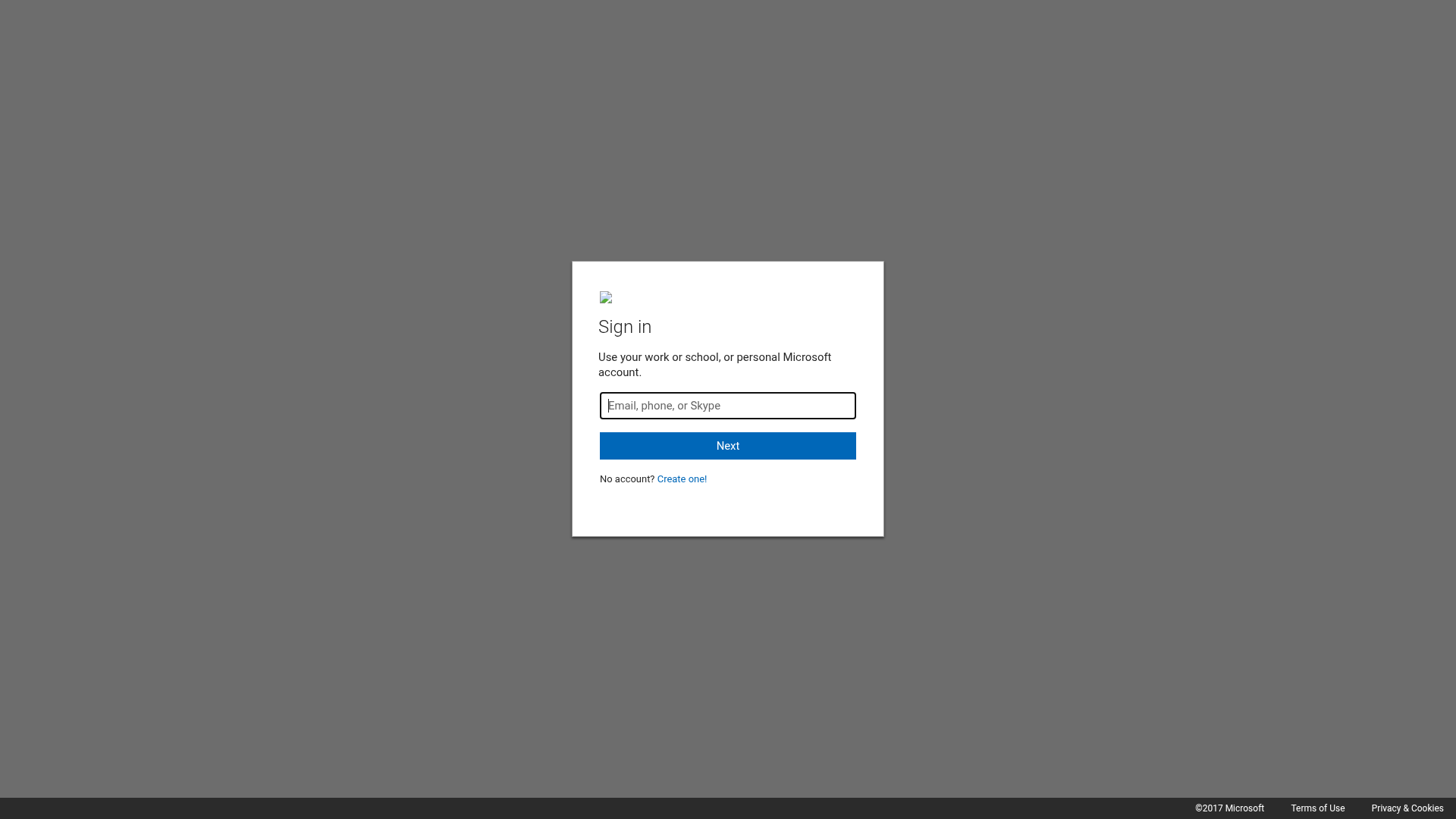
This page mimics the Microsoft sign-in portal to harvest user credentials on an unverified platform. If you entered your password here, reset your Microsoft account credentials immediately and check for unauthorized access.
元のフォレンジック記録を保持するため、下の PhishDestroy AI 詳細分析は英語のままです。
Microsoft sign-in layout
The page replicates the standard Microsoft login interface featuring a centered white dialog box against a gray background. At the top of the box, it displays a small generic icon above the heading "Sign in". Below this, subtitle text instructs visitors to "Use your work or school, or personal Microsoft account." A single input field prompts for "Email, phone, or Skype", followed by a blue "Next" button. At the bottom of the form, a link asks "No account? Create one!". The footer contains copyright text along with links to terms of use and privacy notices.
Credential harvesting risk
By placing a replica of the standard account entry form on an external platform hosted on azurewebsites.net, the site attempts to capture user credentials before they reach authentic services. VirusTotal showed 14 of 92 engines flagging it on 23 Nov 2026, Google Safe Browsing flags it, and OpenPhish and Phishunt block it, with ESET, BitDefender and Fortinet among them, so this is a known data-collection page rather than a false alarm. PhishDestroy scores the evidence against it at 100/100 (critical).
Safety precautions
Always verify that your browser connects directly to microsoft.com before submitting account credentials. Anyone who has already entered their password on microsoftsignin.azurewebsites.net was still reachable on 23 Nov 2026 at 19:30 UTC should immediately change their password, enable multi-factor authentication, and review recent account activity for unauthorized sign-ins.
ソース別の証拠VirusTotal 14 / 92 · Google Safe Browsing: フラグが立てられた6 件の情報源
microsoftsignin.azurewebsites.net — Fake Microsoft account
AIによる説明
microsoftsignin.azurewebsites.net requests Microsoft account credentials, flagged by 14 VirusTotal engines and Google Safe Browsing. Avoid entering passwords.
AIによる要約
Microsoft sign-in layout The page replicates the standard Microsoft login interface featuring a centered white dialog box against a gray background. At the top of the box, it displays a small generic icon above the heading "Sign in". Below this, subtitle text instructs visitors to "Use your work or school, or personal Microsoft account." A single input field prompts for "Email, phone, or Skype", followed by a blue "Next" button. At the bottom of the form, a link asks "No account? Create one!". The footer contains copyright text along with links to terms of use and privacy notices. Credential harvesting risk By placing a replica of the standard account entry form on an external platform hosted on azurewebsites.net, the site attempts to capture user credentials before they reach authentic services. VirusTotal showed 14 of 92 engines flagging it on 23 Nov 2026, Google Safe Browsing flags it, and OpenPhish and Phishunt block it, with ESET, BitDefender and Fortinet among them, so this is a known data-collection page rather than a false alarm. PhishDestroy scores the evidence against it at 100/100 (critical). Safety precautions Always verify that your browser connects directly to microsoft.com before submitting account credentials. Anyone who has already entered their password on microsoftsignin.azurewebsites.net was still reachable on 23 Nov 2026 at 19:30 UTC should immediately change their password, enable multi-factor authentication, and review recent account activity for unauthorized sign-ins.

 40.86.99.202


 Microsoft
 Cloudflare
 Yandex
 ESET
 ビットディフェンダー
 Norton
 Symantec
 Avira
 Avast / AVG
 カスペルスキー
 Dr.Web
 ネットクラフト
 PhishTank
 APWG eCX
 PhishStats
 Phish.Report
 Spamhaus
 PolySwarm
 CheckPhish
 Quttera
 URLquery
 Criminal IP
 CRDF
 Scamadviser
 MyWOT