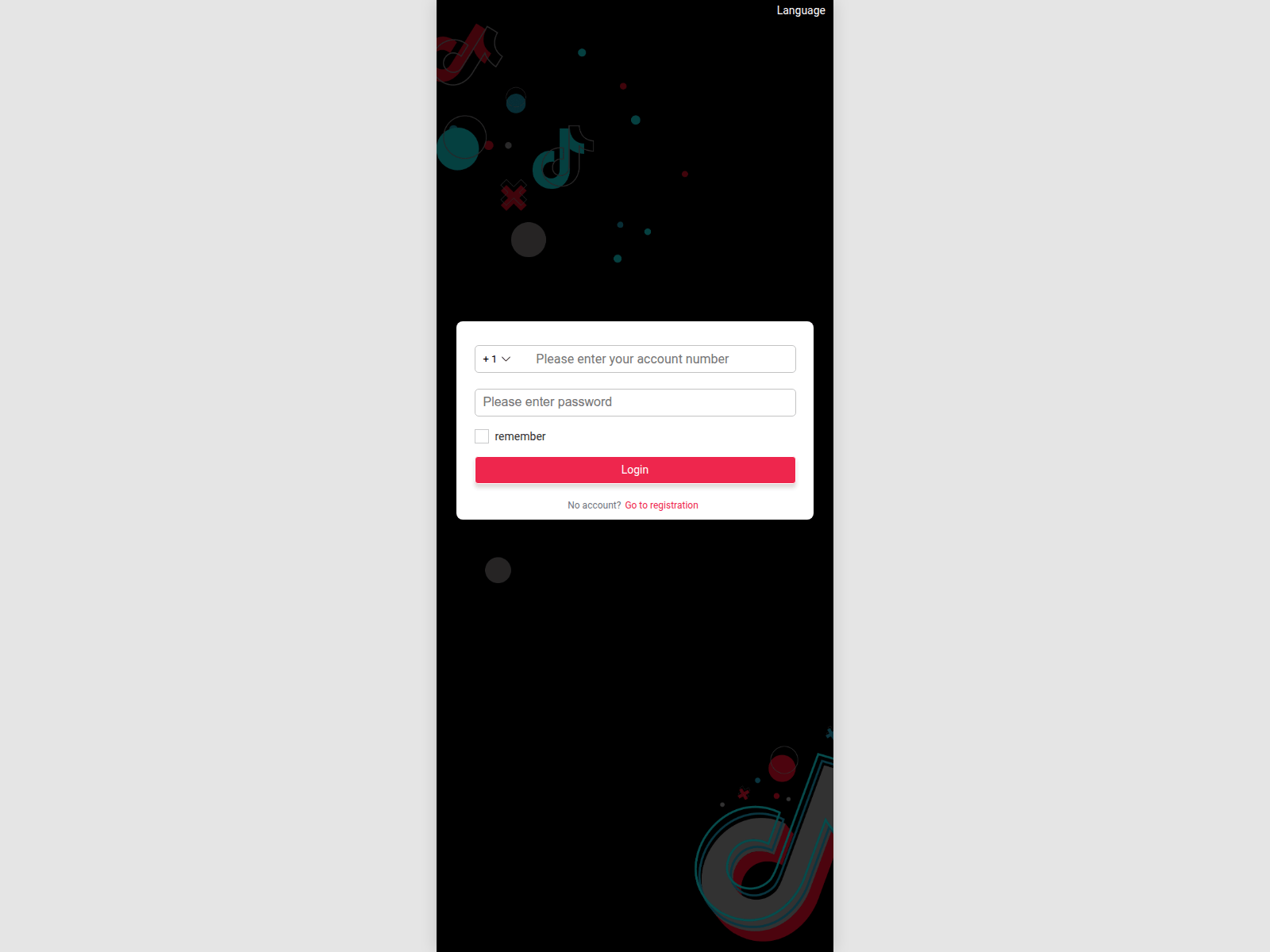
The fiekx.top domain displays a credential harvesting login form mimicking TikTok to capture user accounts, and PhishDestroy's evidence score for it is 100/100 (critical). If you entered your credentials here, immediately change your password on the real platform.
URLScanによるキャプチャ · 2026-11-25 21:02 UTC · SHA-256 6ce98ba7…3bd25d6
PhishDestroyの分析(レビュー済み版)
元のフォレンジック記録を保持するため、下の PhishDestroy AI 詳細分析は英語のままです。
TikTok login interface layout
The page on fiekx.top opens with a dark background decorated with abstract graphic elements and faint musical note motifs reminiscent of TikTok branding. A language selection option sits in the top right corner. In the center, a white card presents a login form containing a country code selector set to "+1", a text field labeled "Please enter your account number", and a password field labeled "Please enter password". A checkbox for "remember" and a bright red "Login" button occupy the lower portion of the card, while a link below prompts visitors to go to registration if they have no account.
Domain registration and security vendor findings
It was registered on 12 Nov 2026, 13 days before it was first reported, which contradicts any claim of long-term operation. Furthermore, VirusTotal showed 12 of 92 engines flagging it on 15 Nov 2026, Google Safe Browsing flags it, and MetaMask and SEAL block it, while ESET, BitDefender and Fortinet are among the security vendors listing the URL as malicious.
Where this credential page leads
Pages mimicking popular social platforms use familiar branding to trick visitors into typing their private account credentials into an unauthorized form. Entering details here hands direct access to the operators behind fiekx.top, who can then take over the victim's account on the real platform. PhishDestroy's evidence score for it is 100/100 (critical), so visitors should treat any unverified login links with extreme caution.
Recommended actions for affected users
If you already typed your password into fiekx.top, you must immediately open the authentic TikTok application or official website to change your password and sign out of all recognized active sessions. Review your account settings to ensure unauthorized operators have not changed your recovery phone number or email address.
ソース別の証拠VirusTotal 12 / 92 · Google Safe Browsing: フラグが立てられた5 件の情報源
fiekx.top mimics TikTok with a fake login form to steal accounts, flagged by 12 VirusTotal engines and Google Safe Browsing. Do not enter credentials.
AIによる要約
TikTok login interface layout The page on fiekx.top opens with a dark background decorated with abstract graphic elements and faint musical note motifs reminiscent of TikTok branding. A language selection option sits in the top right corner. In the center, a white card presents a login form containing a country code selector set to "+1", a text field labeled "Please enter your account number", and a password field labeled "Please enter password". A checkbox for "remember" and a bright red "Login" button occupy the lower portion of the card, while a link below prompts visitors to go to registration if they have no account. Domain registration and security vendor findings It was registered on 12 Nov 2026, 13 days before it was first reported, which contradicts any claim of long-term operation. Furthermore, VirusTotal showed 12 of 92 engines flagging it on 15 Nov 2026, Google Safe Browsing flags it, and MetaMask and SEAL block it, while ESET, BitDefender and Fortinet are among the security vendors listing the URL as malicious. Where this credential page leads Pages mimicking popular social platforms use familiar branding to trick visitors into typing their private account credentials into an unauthorized form. Entering details here hands direct access to the operators behind fiekx.top, who can then take over the victim's account on the real platform. PhishDestroy's evidence score for it is 100/100 (critical), so visitors should treat any unverified login links with extreme caution. Recommended actions for affected users If you already typed your password into fiekx.top, you must immediately open the authentic TikTok application or official website to change your password and sign out of all recognized active sessions. Review your account settings to ensure unauthorized operators have not changed your recovery phone number or email address.

 Dynadot
 172.67.132.200


 Microsoft
 Cloudflare
 Yandex
 ESET
 ビットディフェンダー
 Norton
 Symantec
 Avira
 Avast / AVG
 カスペルスキー
 Dr.Web
 ネットクラフト
 PhishTank
 APWG eCX
 PhishStats
 Phish.Report
 Spamhaus
 PolySwarm
 CheckPhish
 Quttera
 URLquery
 Criminal IP
 CRDF
 Scamadviser
 MyWOT