Search the full saved text. Filter by collection, platform, tier or publication date.
Press / or Ctrl/⌘ K to focus search.
Collection, tier & dates
Ready to search
Loading the archive…
26,875 records · 11.4 MB. Search starts as soon as the saved text is ready.
The archive could not be loaded.
Try again, or download the complete record file below.
No matching records.
Try fewer words or reset the filters.
02 / From the supplied collection
Open the source.
Seven source records with their saved summaries, support quotations and six linked ticket images.
2026-10-13Tier AS-1317e941b2
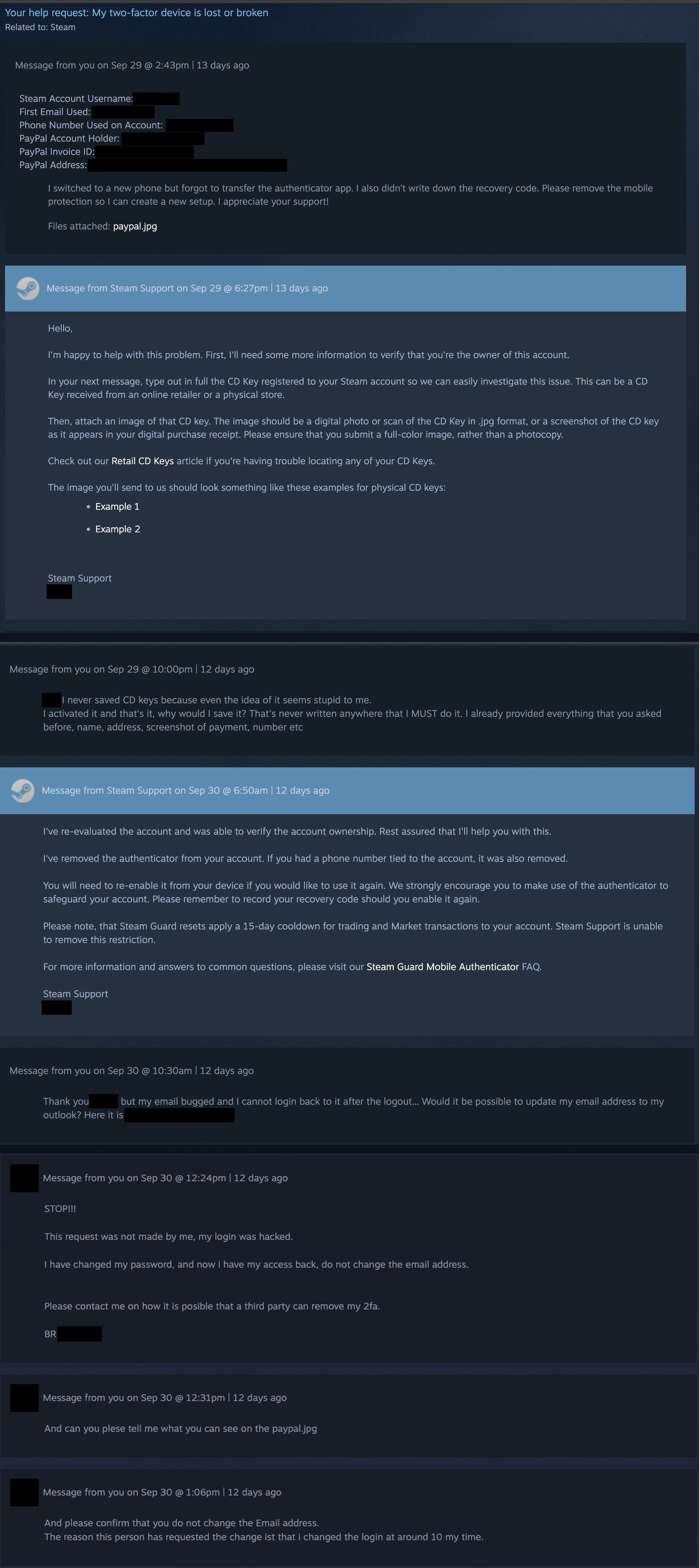
Steam Support removed my Mobile Authenticator for an attacker who refused to provide a CD key – then ignored me for 12 days
An attacker submitted a ticket pretending to be the account owner to request 2FA removal using a PayPal screenshot. Although the attacker failed to provide a CD key requested by support, Steam Support re-evaluated the request and removed the authenticator and phone number. The real owner subsequently regained access to the account and discovered Steam Support had removed two-factor authentication for an unauthorized third party.
Read the complete support quotation
I've re-evaluated the account and was able to verify the account ownership. Rest assured that I'll help you with this.
I've removed the authenticator from your account. If you had a phone number tied to the account, it was also removed.
You will need to re-enable it from your device if you would like to use it again. We strongly encourage you to make use of the authenticator to safeguard your account. Please remember to record your recovery code should you enable it again.
Please note, that Steam Guard resets apply a 15-day cooldown for trading and Market transactions to your account. Steam Support is unable to remove this restriction.
For more information and answers to common questions, please visit our Steam Guard Mobile Authenticator FAQ.
Steam Support
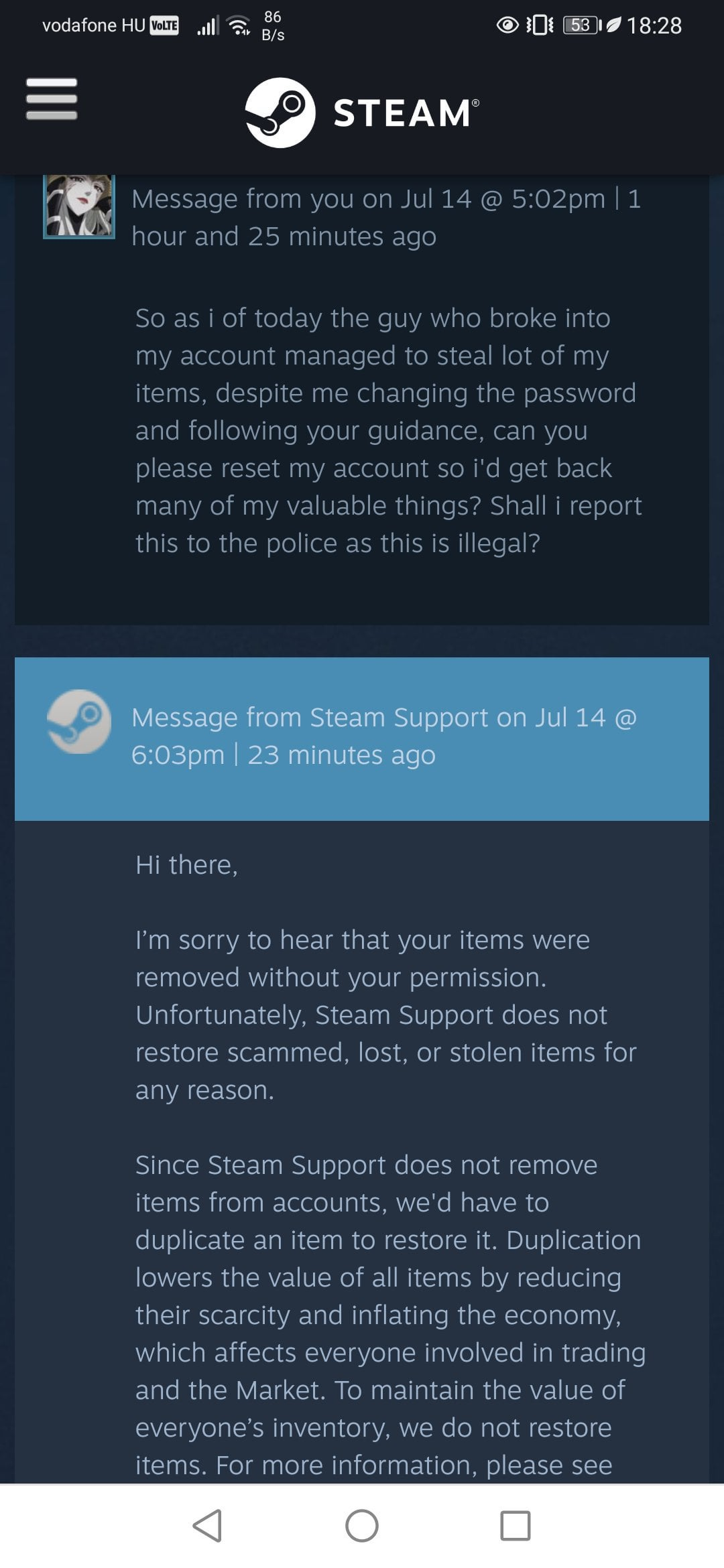
The user reported their account was broken into and items stolen, asking for a restore. Steam Support replied that they do not restore scammed, lost, or stolen items for any reason to prevent item duplication and economy inflation.
Read the complete support quotation
Hi there,
I’m sorry to hear that your items were removed without your permission. Unfortunately, Steam Support does not restore scammed, lost, or stolen items for any reason.
Since Steam Support does not remove items from accounts, we'd have to duplicate an item to restore it. Duplication lowers the value of all items by reducing their scarcity and inflating the economy, which affects everyone involved in trading and the Market. To maintain the value of everyone’s inventory, we do not restore items. For more information, please see
sometimes in life, a bystander is no less than a criminal for the victim (always tell your friends who are new to Steam to be aware of their shittiest policy, I was
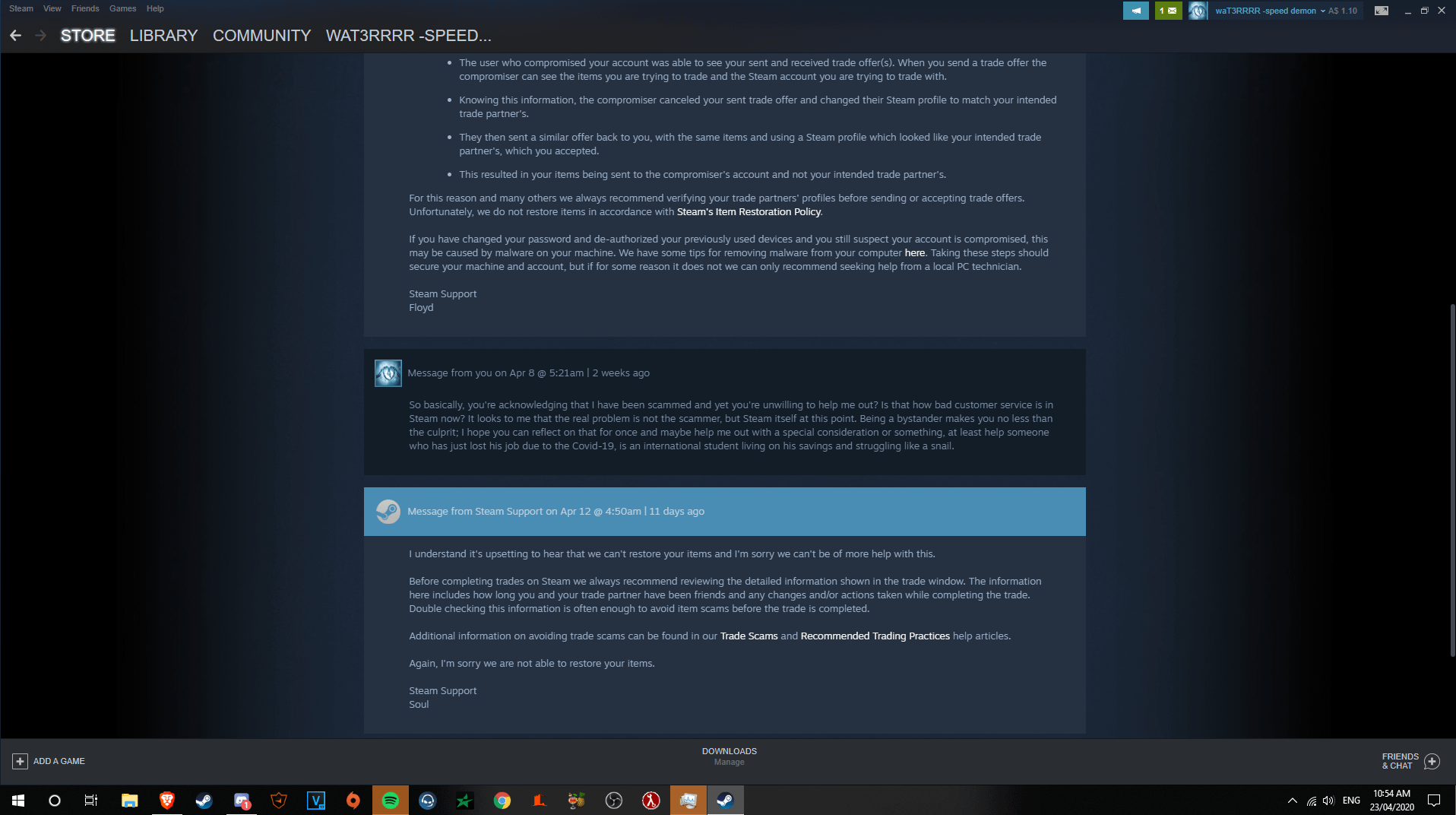
The user was tricked into accepting a trade offer from an impersonator, sending items to the compromiser. Steam Support said it does not restore items under Steam's Item Restoration Policy and declined restoration in both replies.
Read the complete support quotation
• The user who compromised your account was able to see your sent and received trade offer(s). When you send a trade offer the compromiser can see the items you are trying to trade and the Steam account you are trying to trade with.
• Knowing this information, the compromiser canceled your sent trade offer and changed their Steam profile to match your intended trade partner's.
• They then sent a similar offer back to you, with the same items and using a Steam profile which looked like your intended trade partner's, which you accepted.
• This resulted in your items being sent to the compromiser's account and not your intended trade partner's.
For this reason and many others we always recommend verifying your trade partners' profiles before sending or accepting trade offers.
Unfortunately, we do not restore items in accordance with Steam's Item Restoration Policy.
If you have changed your password and de-authorized your previously used devices and you still suspect your account is compromised, this may be caused by malware on your machine. We have some tips for removing malware from your computer here. Taking these steps should secure your machine and account, but if for some reason it does not we can only recommend seeking help from a local PC technician.
Steam Support
Floyd
Message from Steam Support on Apr 12 @ 4:50am | 11 days ago
I understand it's upsetting to hear that we can't restore your items and I'm sorry we can't be of more help with this.
Before completing
Disappointed with Steam Support: Unauthorized Access Drained My Wallet
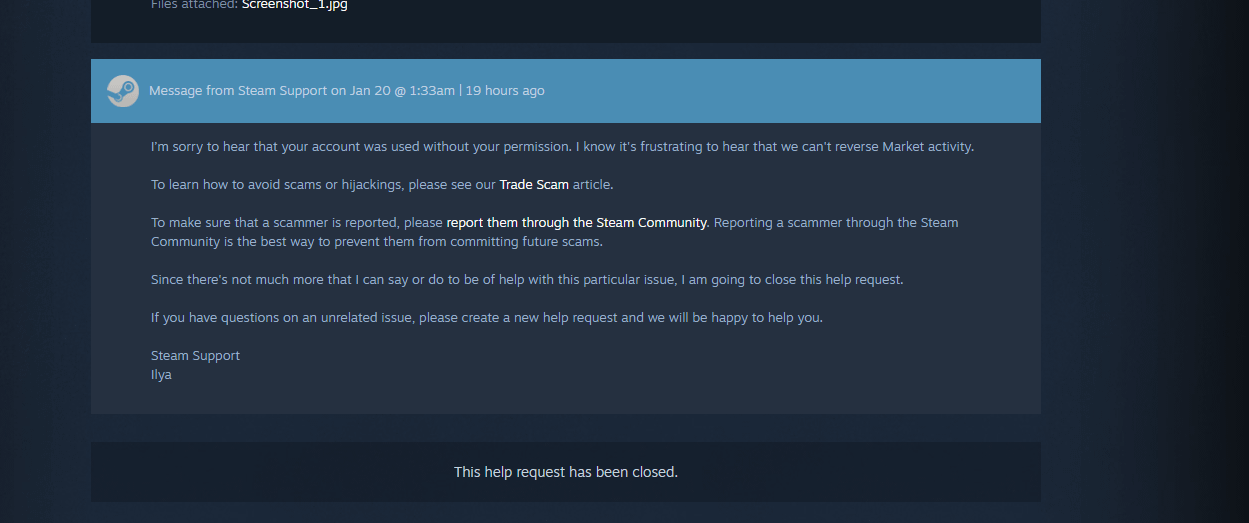
Steam Support agent Ilya responded to a user whose account was accessed without permission, stating that Steam cannot reverse Community Market activity. The agent provided links on reporting scammers and closed the support request.
Read the complete support quotation
I'm sorry to hear that your account was used without your permission. I know it's frustrating to hear that we can't reverse Market activity.
To learn how to avoid scams or hijackings, please see our Trade Scam article.
To make sure that a scammer is reported, please report them through the Steam Community. Reporting a scammer through the Steam Community is the best way to prevent them from committing future scams.
Since there's not much more that I can say or do to be of help with this particular issue, I am going to close this help request.
If you have questions on an unrelated issue, please create a new help request and we will be happy to help you.
Steam Support
Ilya
I sold some items on the community market and now steam's labeled me as fraudulent.
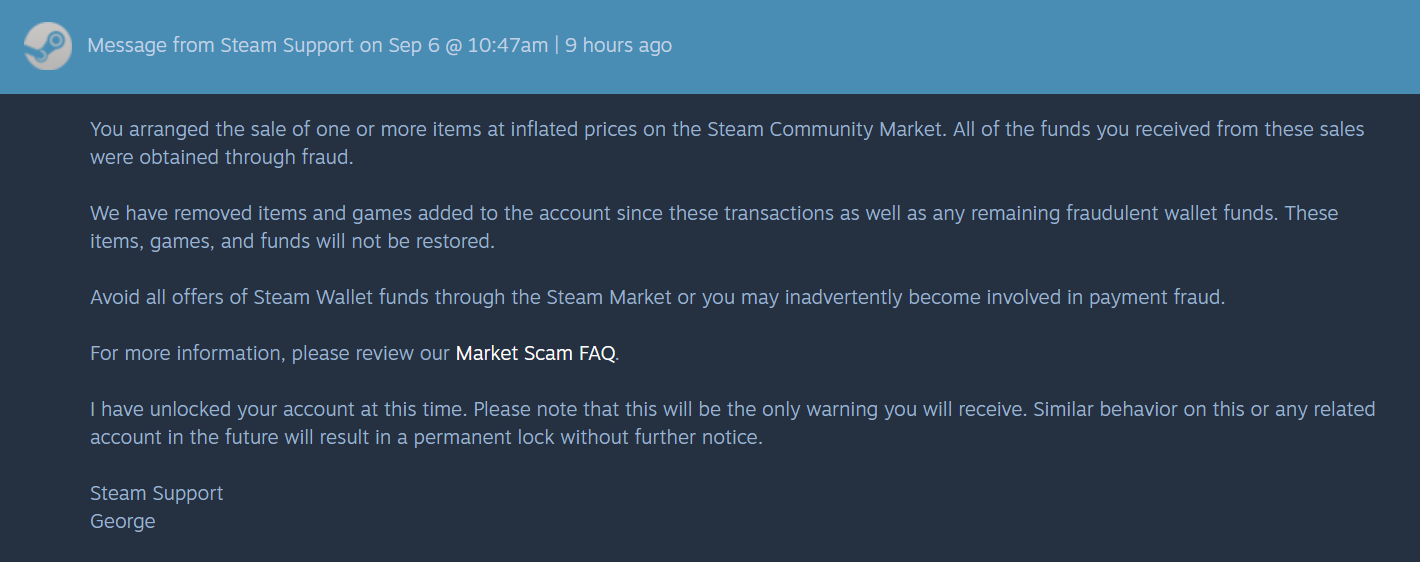
Steam Support agent George informed the user that items were sold at inflated prices on the Steam Community Market using fraudulent funds. Support unlocked the account as a final warning, but removed all games, items, and wallet funds obtained through these sales and refused to restore them.
Read the complete support quotation
You arranged the sale of one or more items at inflated prices on the Steam Community Market. All of the funds you received from these sales were obtained through fraud.
We have removed items and games added to the account since these transactions as well as any remaining fraudulent wallet funds. These items, games, and funds will not be restored.
Avoid all offers of Steam Wallet funds through the Steam Market or you may inadvertently become involved in payment fraud.
For more information, please review our Market Scam FAQ.
I have unlocked your account at this time. Please note that this will be the only warning you will receive. Similar behavior on this or any related account in the future will result in a permanent lock without further notice.
Steam Support
George
Steam support do actually restore deleted items : r/tf2
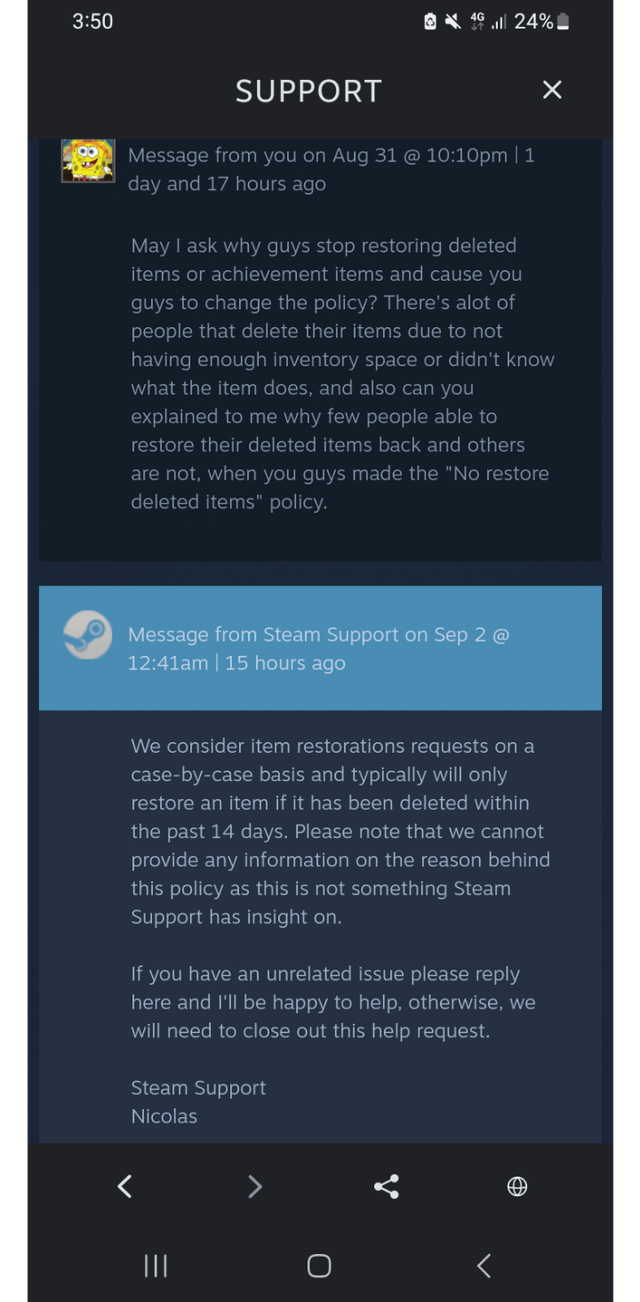
A user asked Steam Support about their policy regarding deleted items and why restores were discontinued. Steam Support agent Nicolas replied that item restoration requests are considered case-by-case within 14 days of deletion, but stated support cannot explain the reasons behind the policy.
Read the complete support quotation
We consider item restorations requests on a case-by-case basis and typically will only restore an item if it has been deleted within the past 14 days. Please note that we cannot provide any information on the reason behind this policy as this is not something Steam Support has insight on.
If you have an unrelated issue please reply here and I'll be happy to help, otherwise, we will need to close out this help request.
The user's account was hijacked, VAC banned, and skins were stolen. Steam Support removed the VAC ban and made an exception to restore the compromised account's items and reverse actions taken while compromised.
Read the complete support quotation
Thank you for contacting Steam Support.
We have looked into this issue and due to the circumstances under which the ban was applied it has been removed.
We have made an exception to our item restoration policy in this case and reversed the actions that were committed while your account was compromised. Any Community Market listings that you had listed were also removed and returned to your inventory.
Please log into your game(s) to receive the missing items; it may take several days for them to reappear within the game.
The download contains one saved collection entry per record, with its source-row reference. Search exports contain the matching records and their full saved text.